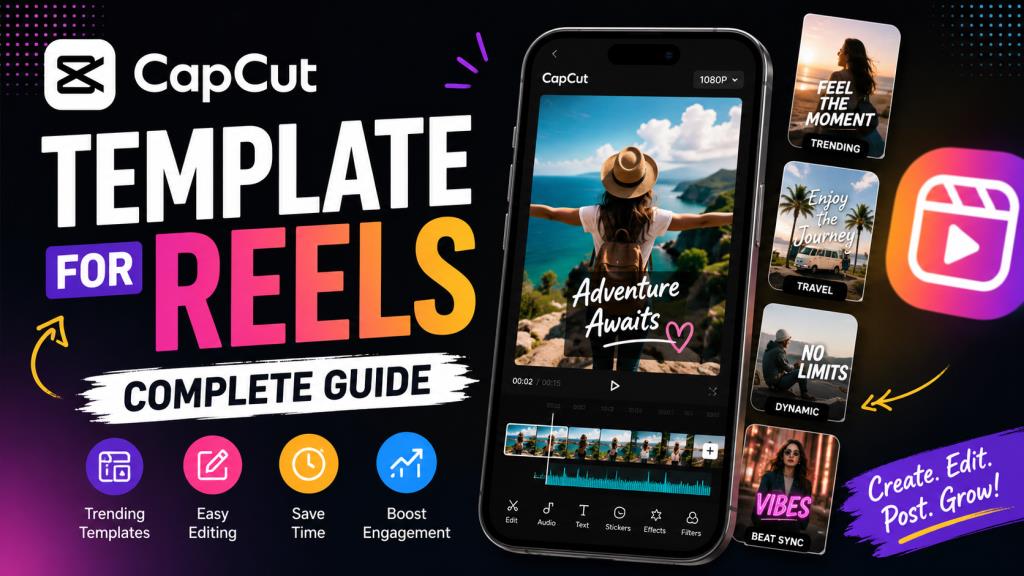
CapCut Template for Reels: Complete Guide
Introduction
Instagram Reels have become one of the most effective ways to reach new audiences, build a personal brand, and increase engagement. Whether you’re a content creator, small business owner, influencer, or someone who simply enjoys sharing creative videos, producing high-quality Reels consistently can be challenging.
This is where a CapCut template for Reels becomes incredibly useful.
Instead of spending hours editing every transition, animation, and effect manually, CapCut templates provide a ready-made editing structure. You simply replace the placeholder clips with your own photos or videos, and the app automatically applies transitions, effects, text animations, and music synchronization.
In this guide, you’ll learn what CapCut templates are, why they’re so popular for Instagram Reels, how to use them effectively, where to find the best templates, common mistakes to avoid, and practical tips to make your content stand out.
What Is a CapCut Template for Reels?
A CapCut template is a pre-designed video editing project created by another user or the CapCut team. Instead of editing from scratch, you import your own media into the template, and the app automatically generates a polished video.
For Instagram Reels, these templates are specifically designed for the platform’s vertical format (9:16), making them ideal for mobile viewing.
Most Reel templates include:
- Automatic transitions
- Beat-synced music
- Text animations
- Zoom and motion effects
- Color filters
- Speed adjustments
- Trending editing styles
For example, if you have ten travel photos from your recent vacation, you can place them into a travel-themed CapCut template. Within minutes, you’ll have a professional-looking Reel with cinematic transitions and perfectly timed music.
This saves significant editing time while helping your content match current social media trends.
Why CapCut Templates Are So Popular for Instagram Reels
One of the biggest reasons CapCut has become popular is its simplicity. Many people want professional-looking videos but don’t have experience using advanced software like Adobe Premiere Pro or Final Cut Pro.
CapCut templates remove much of the technical work.
Instead of learning keyframes, masking, motion graphics, and complicated timelines, you only need to upload your clips.
Other reasons people love CapCut templates include:
Fast editing
A Reel that might normally take an hour can often be completed in just a few minutes.
Professional appearance
Many templates are created by skilled editors who understand timing, transitions, and visual storytelling.
Trend-friendly
Popular editing styles spread quickly on Instagram and TikTok. Templates allow creators to participate in these trends without recreating the effects manually.
Beginner-friendly
Even someone with no editing experience can produce attractive videos.
Consistent branding
Businesses and creators can repeatedly use similar templates to maintain a recognizable visual style.
How to Use a CapCut Template for Instagram Reels
Using a CapCut template is surprisingly simple.
First, open a CapCut template from the app or through a shared template link.
Once the template loads, you’ll see the number of photos or video clips required. Some templates may need only three clips, while others might require twenty or more.
After selecting your media, CapCut automatically inserts your content into the editing sequence.
The app then applies:
- Video transitions
- Music synchronization
- Motion effects
- Filters
- Text animations
- Timing adjustments
Before exporting, review the Reel carefully.
Check whether every clip fits naturally. If an important moment appears too quickly, replace it with a shorter or better-framed clip.
Finally, export the video in high quality and upload it directly to Instagram Reels.
Although templates automate much of the editing process, taking a few extra minutes to review the final result often makes a noticeable difference.
Best Ways to Choose the Right CapCut Template
Not every template is suitable for every type of content.
Choosing the right one depends on your audience, purpose, and the message you want your Reel to communicate.
Travel Content
Travel creators usually benefit from cinematic templates with smooth transitions, landscape shots, and relaxing music.
Fashion and Lifestyle
Fast-paced templates with stylish transitions and energetic music often perform well for fashion, beauty, and lifestyle creators.
Business Promotion
Businesses should choose clean, professional templates that keep the focus on products or services rather than excessive visual effects.
Educational Reels
Simple templates with readable text animations work best when explaining tips, tutorials, or step-by-step guides.
Personal Memories
Family events, birthdays, weddings, and celebrations often look best with emotional music and gentle transitions.
The most effective template is one that supports your story rather than distracting viewers with unnecessary effects.
Tips to Make Your Reels Look More Professional
Using a template is only part of creating a successful Reel.
The quality of your original content matters just as much.
Start with high-resolution photos and videos whenever possible. Blurry or poorly lit footage cannot be completely fixed by editing.
Maintain consistent lighting between clips. Sudden brightness changes can make the final Reel appear unprofessional.
Keep your clips short and engaging. Most successful Reels capture attention within the first few seconds.
Avoid overcrowding the video with too much text. Instead, let the visuals tell the story whenever possible.
Use music that complements the mood of your content. While templates often include audio, you can change it if another soundtrack better suits your audience.
If you’re promoting a business, include a clear call to action near the end, such as encouraging viewers to visit your website, follow your account, or learn more.
Finally, always preview your Reel before publishing. A quick review helps catch awkward transitions or misplaced clips that may reduce viewer engagement.
Also Check : CapCut Template Ghaus Editz: A Complete Guide to Creating Trending Video Edits
Common Mistakes to Avoid When Using CapCut Templates
Although templates simplify editing, some common mistakes can reduce the quality of your final Reel.
One frequent issue is selecting clips that don’t match the template’s pacing. If the template is designed for energetic transitions but your footage contains slow, steady scenes, the video may feel awkward.
Another mistake is using low-quality images. Compression during Instagram uploads can make poor-quality media appear even worse.
Some creators also rely on the same viral template repeatedly. While popular templates can attract attention, using identical edits every time may make your content look repetitive.
Ignoring safe areas is another common problem. Instagram places interface buttons along the edges of Reels, so avoid placing important text where it might become hidden.
Many beginners also skip proofreading text overlays. Even small spelling mistakes can affect credibility, especially for business accounts.
Lastly, remember that templates should enhance your creativity—not replace it. Personal touches, unique footage, and authentic storytelling are what keep viewers coming back.
Where to Find Good CapCut Templates for Reels
CapCut itself offers a large collection of templates that are updated regularly.
The app’s template section allows users to browse categories based on trends, music, transitions, and themes.
Social media platforms are also excellent sources of inspiration. Many creators share CapCut template links directly in their video descriptions or comments.
Searching phrases like:
- Trending CapCut Reels Template
- Beat Sync Template
- Photo Dump Template
- Cinematic Reel Template
- Travel CapCut Template
can help you discover new editing styles that match current trends.
However, it’s always worth experimenting with different templates rather than copying every viral edit. Developing a recognizable editing style helps build a stronger personal or business brand over time.
Final Thoughts
A CapCut template for Reels is one of the easiest ways to create visually impressive Instagram videos without advanced editing skills. It saves time, simplifies the creative process, and allows beginners to produce professional-looking content within minutes.
However, the template itself is only a tool. Great Reels are built on engaging stories, quality footage, thoughtful pacing, and genuine creativity. Choosing the right template, customizing it to fit your content, and paying attention to small details can make a significant difference in how your audience responds.
Whether you’re creating travel memories, promoting products, sharing educational tips, or building a personal brand, CapCut templates offer an excellent starting point. Use them wisely, experiment with different styles, and focus on delivering value to your viewers. Consistency and originality will always matter more than simply following trends.
Frequently Asked Questions (FAQ)
Is CapCut free to use for Instagram Reels?
Yes. CapCut offers many free templates and editing features. However, some premium templates, effects, and assets require a CapCut Pro subscription.
Do CapCut templates work directly with Instagram Reels?
Yes. Most templates are designed in the 9:16 vertical format, making them suitable for Instagram Reels, TikTok, and YouTube Shorts.
Can I customize a CapCut template?
Absolutely. After applying a template, you can often change the text, music, filters, and selected clips. Some templates offer more editing flexibility than others.
Why can’t I use some CapCut templates?
Some templates may not be available in certain countries, require a newer version of the app, or have been removed by the original creator.
Are CapCut templates good for business marketing?
Yes. Businesses can use templates to create product showcases, customer testimonials, promotional offers, behind-the-scenes videos, and educational content quickly while maintaining a professional appearance.
What is the ideal length for an Instagram Reel?
Although Instagram supports longer Reels, videos between 15 and 45 seconds often perform well because they are easier for viewers to watch from start to finish.
Will using popular CapCut templates increase my Reel views?
Using a trending template may improve visual appeal, but it does not guarantee more views. Content quality, audience interest, posting consistency, engagement, captions, and timing all play important roles in Reel performance.