Trending CapCut Template: Create Viral Videos Faster
Trending CapCut Template: Create Viral Videos Faster
Short-form video has changed how people share ideas, promote businesses, preserve memories, and connect with online audiences. Creating an attractive video once required professional editing software, technical knowledge, and several hours of work. Today, a ready-made template can help almost anyone produce a polished video within minutes.
This convenience is one reason the trending capcut template has become popular among TikTok creators, Instagram users, YouTube Shorts publishers, small businesses, students, and casual editors. These templates provide prepared transitions, visual effects, music timing, text animations, and spaces where users can insert their own photos or video clips.
However, selecting a popular template does not automatically guarantee a successful video. The best results come from choosing a format that matches your content, using high-quality media, and adding enough personal detail to make the final video feel original.
This guide explains what CapCut templates are, why they become popular, how to find and use them, and how to avoid the common mistakes that make template-based videos look repetitive.
What Is a Trending CapCut Template?
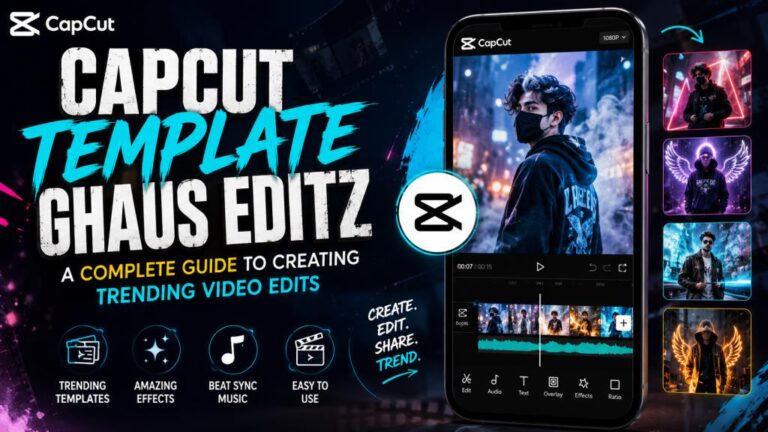
A CapCut template is a pre-designed video-editing structure. It may already contain music, transitions, filters, text effects, clip timing, animations, and visual overlays. Instead of creating every element manually, you replace the sample media with your own photos or videos.
A trending capcut template is a template that is currently receiving noticeable attention across short-form video platforms. It may be associated with a popular song, a new transition style, a seasonal celebration, an emotional quote, a meme, or a storytelling trend.
For example, a template might require eight photographs. The first few images may appear slowly while the music builds, followed by several quick photo changes that match the beat. Another template may use a before-and-after structure, showing an old appearance, location, skill, product, or situation before revealing the transformation.
Templates are popular mainly because they save time. Users do not need to cut every clip manually, create complex transitions, or calculate where each visual should appear within the music. Much of that technical work has already been completed.
They are also beginner-friendly. Someone without professional editing experience can still make a video that looks organized and visually appealing.
Templates can also provide creative direction. Many users have attractive photos or interesting footage but do not know how to arrange them into a complete video. A template provides a structure and helps turn separate pieces of media into a clear sequence.
Still, it is important to see a template as a starting point. Successful creators do not simply insert random photos and publish the result. They carefully choose their content, edit captions, adjust the visual mood, and connect the format to a meaningful idea.
Why Trending CapCut Templates Attract Viewers
Popular templates often succeed because they feel familiar. Viewers may recognize the music, rhythm, transition, or storytelling pattern from other videos. This familiarity helps them understand the content quickly.
A trending capcut template usually follows a simple and engaging structure. The opening attracts attention, the middle creates anticipation, and the ending delivers an emotional moment, transformation, punchline, or visual reveal.
This structure is valuable on short-form platforms because viewers make fast decisions. If the first few seconds do not create interest, they may immediately scroll to another video.
Music synchronization is another reason templates perform well. A well-designed template changes photos or clips according to the beat of the audio. This creates a satisfying viewing experience, even when the individual media files are relatively simple.
Templates also make it easier to participate in online conversations. When thousands of people use the same format, each person can add a different story. One user may create a travel montage, another may show a fitness transformation, and someone else may promote a product using the same editing pattern.
Emotion also plays an important role. Many popular templates are built around recognizable feelings, such as nostalgia, excitement, confidence, friendship, romance, achievement, or personal growth. Viewers often respond to videos that make them feel something quickly.
However, popularity does not mean every template will suit every creator. A dramatic romantic template may not be appropriate for a professional business announcement. Similarly, a fast meme format may not work for a serious educational message.
The most effective choice is not always the most popular template. It is the one that supports the purpose of your video while still feeling relevant to your audience.
How to Find the Right Trending CapCut Template
Finding a template is easy, but finding the right one requires more attention. Trends move quickly, and a format that seems fresh today may feel overused after thousands of similar videos appear.
One useful approach is to observe short-form video platforms regularly. Look for repeated music, transitions, captions, or editing structures. When several creators begin using the same format within a short period, it may indicate a growing trend.
You can also search within CapCut using specific words related to your content. Instead of searching only for “viral template,” try more focused terms such as travel, birthday, photo dump, friendship, product showcase, before and after, graduation, cinematic, beat edit, or business promotion.
Searching with a clear purpose produces better results. A trending capcut template for a birthday montage will usually have different timing and emotion from one designed for a clothing advertisement.
Before choosing a template, check how many media files it requires. Some templates need only one video, while others may require ten or more photos. Select a format that fits the material you already have.
Preview the entire template instead of judging it from the opening frame. Pay attention to its pacing, ending, text placement, music, and visual effects. A template may begin attractively but become too fast or cluttered later.
You should also consider the intended publishing platform. A template designed for vertical short-form video is generally suitable for TikTok, Instagram Reels, and YouTube Shorts. However, important text should remain away from the extreme top, bottom, and sides, where platform buttons or captions may cover it.
Another practical method is to save promising templates before you need them. Creating a small collection for different content categories can make your future editing process faster. You might keep separate options for personal memories, promotional videos, educational content, seasonal posts, and announcements.
Most importantly, do not choose a template only because it has a large usage number. Consider whether the format helps communicate your specific story.
How to Use and Customize a Template Effectively
Once you select a trending capcut template, gather your photos and clips before starting the editing process. Preparing the media in advance prevents you from selecting unsuitable content simply to fill every available space.
Choose files with good lighting, clear subjects, and suitable framing. Vertical media generally works best for vertical templates. Horizontal photos may be automatically cropped, which can remove faces or important background details.
Arrange your media logically. The strongest image should not always appear first. In many cases, it is better to begin with an intriguing or relatable scene and save the most impressive visual for the final reveal.
For a travel montage, you might begin with the journey, show the location gradually, and end with the best landscape or memorable moment. For a product video, you could start with a customer problem, introduce the product, and finish by showing the result.
Review every crop after adding your media. Automatic placement may cut off a person’s face, product label, building, or important detail. Reposition the image whenever the template allows it.
Text should be short and easy to read. Avoid placing a long paragraph on a fast-moving scene. A brief phrase such as “One year of progress” or “From idea to reality” is usually more effective than several lines of explanation.
Customization is what separates a thoughtful video from a basic copy. You can change the written message, select more relevant media, add a logo, use consistent fonts, or apply a suitable color mood. Even small changes can make the result feel more personal.
For business content, include branding carefully. A logo, product name, or short call to action can be helpful, but it should not cover the main subject. The goal is to make the brand recognizable without making the video look like a crowded advertisement.
Check the music before publishing. Audio availability and usage conditions may differ by region or platform. A sound that works inside one editing environment may be muted, replaced, or restricted after uploading elsewhere. Using platform-approved audio can reduce this risk.
Finally, watch the exported video from beginning to end. Look for spelling errors, awkward crops, blank frames, repeated images, unclear text, and transitions that do not fit the content.
Read More: Healing Thailand CapCut Template: Create Stunning Travel Videos
Practical Ways to Make Template Videos Feel Original
The biggest criticism of template-based editing is that many videos look identical. This happens when users insert random photos without changing the message or considering the story.
To make a trending capcut template feel original, begin with a specific idea. Instead of creating a general collection of attractive photos, build the video around a clear theme.
For example, “My best moments” is broad and forgettable. “How my first month at university changed me” is more specific and gives the video a natural direction.
Personal captions can also add originality. A template may include generic text such as “Good memories,” but replacing it with a meaningful date, location, achievement, or inside joke makes the content more authentic.
Use media that shows movement and variety. Combining wide shots, close-ups, people, objects, and environmental details makes the video more visually interesting. Repeating similar selfies in every slot can make even an excellent template feel monotonous.
You can also create a stronger opening. The first frame should give viewers a reason to continue watching. A question, surprising image, emotional statement, or visible transformation can work well.
For educational content, open with a problem or promise. Examples include “Three mistakes new editors make” or “Here is how I improved my videos.” The template then becomes a structure for presenting the information rather than the main attraction.
For business videos, focus on benefits instead of simply showing the product. A bakery might show the preparation process, the finished cake, and the customer reaction. A clothing seller could show fabric details, styling options, and the final look.
Timing matters as well. A trending capcut template may already control the duration of each clip, but the content placed within those moments should still make sense. Avoid using a detailed scene in a slot that appears for less than a second.
The final frame deserves special attention. It may contain the main reveal, emotional message, business name, or call to action. Choose an ending that leaves viewers with a clear impression.
Common Mistakes to Avoid
One common mistake is selecting a template before deciding what the video is about. This often leads to a collection of unrelated images that look attractive individually but do not tell a complete story.
Another problem is using low-resolution media. A template cannot fully hide blurry photos, dark footage, or heavily compressed videos. Starting with clear visual material produces a better result than adding more effects.
Overusing transitions can also reduce quality. Many templates already contain fast movement, zooms, flashes, and overlays. Adding more effects may make the video uncomfortable to watch.
Do not ignore the text. Template captions may contain sample words, incorrect dates, placeholder names, or phrases that do not fit your content. Check every visible line before exporting.
Using the wrong aspect ratio is another frequent issue. A horizontal image placed inside a vertical template may be cropped badly. Important subjects should remain near the center unless you can manually reposition them.
Creators should also avoid copying another person’s exact concept. Using the same trending capcut template is generally part of participating in a trend, but copying someone’s captions, personal story, branding, or original footage is different. Take inspiration from the format while creating your own message.
Publishing without a final review can lead to obvious mistakes. Watch the video with sound and then watch it once without sound. The first review helps you check timing and audio, while the second shows whether the visuals and text can communicate independently.
Finally, do not force every piece of content into a trend. Some messages need a slower explanation, original editing, or a simple talking-head video. Templates are useful tools, but they are not the best solution for every situation.
Final Thoughts
A trending capcut template can make video creation faster, easier, and more accessible. It gives beginners a professional-looking structure and helps experienced creators respond quickly to popular styles.
Its real value, however, depends on how thoughtfully it is used. The template should support your content rather than replace creativity. Clear media, logical storytelling, readable text, suitable music, and careful customization are what make the final result effective.
Instead of asking only, “Which template is popular?” ask, “Which template helps me tell this story clearly?” That small change in approach can produce videos that feel more personal, useful, and memorable.
Trends will continue to change, but the basic principles of strong content remain consistent. Understand your audience, create a clear opening, deliver something valuable or emotional, and finish with purpose. When those elements are combined with the right trending capcut template, even a simple collection of photos or clips can become an engaging video.
Frequently Asked Questions
What is a trending CapCut template?
A trending capcut template is a ready-made CapCut video format that is currently gaining popularity. It usually includes prepared transitions, music timing, effects, and spaces where users can insert their own media.
Are CapCut templates suitable for beginners?
Yes. Templates are especially useful for beginners because most of the technical editing has already been completed. Users mainly need to choose appropriate photos or clips, adjust the text, review the cropping, and export the video.
Can I customize a CapCut template?
Customization options depend on the template, but users can generally replace the media and may be able to edit text, reposition images, change certain effects, or add branding. Customization helps prevent the final video from looking identical to other versions.
How do I find a trending CapCut template?
You can explore templates inside CapCut, search with content-specific keywords, and observe repeated formats on TikTok, Instagram Reels, or YouTube Shorts. Focus on newly growing formats instead of relying only on total usage numbers.
Why does my photo look cropped in the template?
The photo may have a different aspect ratio from the template’s placeholder. Horizontal images are often cropped when placed inside a vertical format. Reposition the photo or use a vertical version with enough space around the main subject.
Can I use CapCut templates for business promotion?
Yes. Businesses can use templates for product showcases, before-and-after videos, customer reviews, event announcements, behind-the-scenes content, and promotional campaigns. Branding should remain clear but should not cover the main visuals.
Will using a trending template make my video viral?
No template can guarantee viral performance. Results also depend on the topic, opening, content quality, audience relevance, caption, publishing time, competition, and viewer response. A template can improve presentation, but it cannot replace a strong idea.
Is it safe to use the music included in a template?
Music availability and permissions may vary by platform, account type, and region. Review the audio rules of the platform where you plan to publish, especially when creating commercial or sponsored content.
How many photos should I use in a CapCut template?
Use the number required by the selected template, but choose each image carefully. A shorter video with strong, relevant photos is usually better than a longer video filled with repetitive or low-quality media.
Can I remove the CapCut watermark?
Export options may depend on the template, app version, device, and sharing method. Review the export screen carefully and use the available official options rather than relying on unofficial watermark-removal services.