
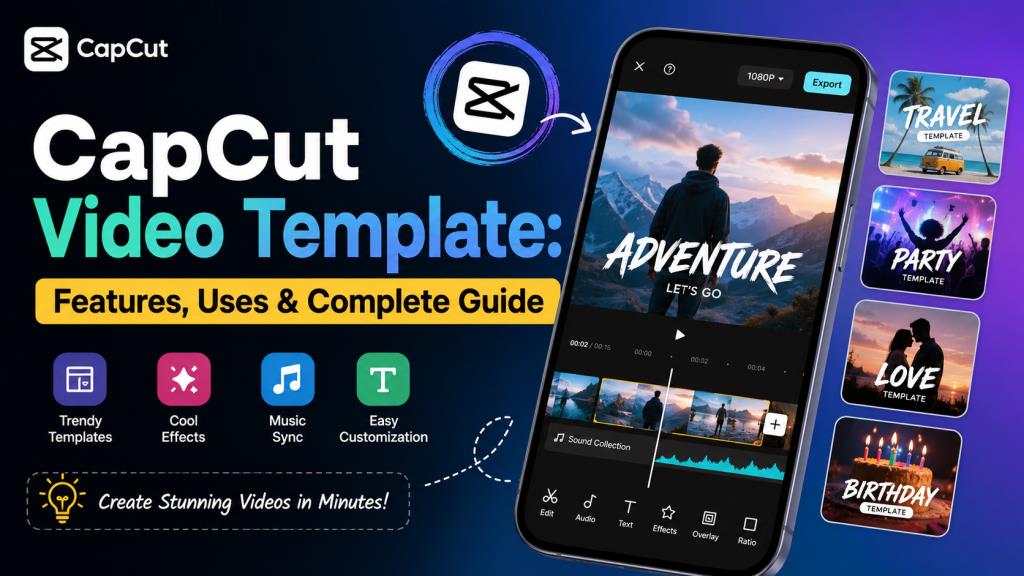
CapCut Video Template: Features, Uses & Complete Guide
Creating attractive short videos can take a lot of time when you start from a blank project. You need to choose music, add transitions, adjust effects, add text, and arrange every clip. A CapCut Video Template makes this process much easier. It provides a ready-made video structure that you can customize with your own photos and videos.
Today, templates are widely used for Instagram Reels, YouTube Shorts, status videos, travel edits, birthday videos, couple edits, and other social media content. This guide explains everything beginners should know before using them. If you are looking for simple editing ideas and useful creative guides, editprotipsai.net can also be a helpful source of information.
What Is a CapCut Video Template?
A CapCut Video Template is a pre-designed video editing project that users can customize with their own media. Instead of creating every part of a video manually, you can start with an existing design. A template may already contain transitions, effects, text animations, music, timing, filters, and other editing elements. You normally replace the sample photos or videos with your own content.
The main purpose is to save editing time while producing a visually attractive video. This makes templates useful for beginners who may not know how to create advanced transitions or effects. Templates can also help experienced creators work faster. They can use a template as a starting point and make their own changes before publishing the final video.
How Does a CapCut Video Template Work?
A template works by providing a ready-made editing structure. The creator who made the template has already arranged different elements of the video. When you select a template, you may see a specific number of media slots. These slots indicate how many photos or video clips are needed.
You select your own media and place it into the available slots. The template then applies its existing timing, effects, transitions, and other elements. The exact editing options can vary from one template to another. Some templates offer more customization than others.
The biggest advantage is that you do not need to build the complete timeline yourself. This can make video creation much faster.
Why Are CapCut Video Templates So Popular in India?
Short-form video content has become an important part of social media use in India. Instagram Reels, YouTube Shorts, and other short videos are popular among creators, students, small businesses, and casual users. A CapCut Video Template can help users create content without spending a long time learning complicated editing techniques.
Trending music and visual effects can also make templates attractive. Users often search for templates related to festivals, celebrations, travel, birthdays, friendship, couples, and other popular themes.
Another reason for their popularity is convenience. A beginner can start with a professional-looking structure instead of learning every editing function from the beginning. However, trends change quickly. A template that is popular today may not be popular a few weeks later. Creators should therefore focus on making content that is useful and relevant rather than simply copying every trend.
Key Features of CapCut Video Templates
CapCut templates can include several useful editing elements. The exact features depend on the individual template. Pre-designed transitions can make clips move smoothly from one scene to another. Some templates use simple transitions, while others include fast and dramatic effects.
Music and sound synchronization can help match clips with specific points in an audio track. This is useful for short videos where timing is important. Text animation is another common feature. A template may include animated titles, captions, or other text effects.
Filters and visual effects can change the overall appearance of a video. They can help create a specific mood or style. Some templates also use speed changes, zoom effects, overlays, and motion effects. These elements can make a simple collection of photos look more dynamic.
Types of CapCut Video Templates
There are many different types of templates. Their design usually depends on the type of content they are intended for. Photo templates are useful for turning several pictures into a short video. They are commonly used for birthdays, memories, travel photos, and personal posts. Beat templates focus on music timing. Images or clips may change according to the beat of the selected audio.
Transition templates are designed around movement between clips. They can be useful for fashion videos, travel content, and creative Reels. There are also templates for celebrations, festivals, friendship, couples, sports, business promotions, and other topics. Choosing a template that matches your content is more important than simply choosing the most popular design.
How to Find Trending CapCut Video Templates
Finding a suitable template is usually the first step. You can explore templates through supported CapCut features and discover designs through social media trends. Search for templates based on your content. For example, someone creating a travel Reel should look for travel-focused designs instead of using an unrelated template.
You can also pay attention to current trends on Instagram and YouTube. When a particular editing style appears repeatedly, similar templates may become popular. Before selecting one, check how many photos or clips it requires. Also consider the duration and overall style. Do not choose a template only because it is trending. It should fit your subject, audience, and message.
How to Use a CapCut Video Template
Using a template is generally easier than creating a project manually. The exact interface can change as the app receives updates, but the basic process is similar. First, open CapCut and find the template section if it is available in your region and version of the app. Browse the available designs and choose one that matches your content.
Open the template and review the preview. Check the number of media slots and the overall video style. Select the option to use the template. You can then choose the photos or video clips that you want to include. After adding your media, preview the result carefully. If the available editing options allow it, adjust the text, clips, effects, or other elements.
Finally, export the finished video using the settings that suit your intended platform.
How to Add Photos and Videos to a Template
Adding personal media is one of the main reasons people use templates. The process is designed to be simple for beginners. After selecting a template, you may be asked to choose a specific number of photos or clips. Select media that matches the template’s timing and style.
For example, a fast template may work better with clear photos and short clips. A slower design may work better with longer video moments. Use high-quality original media whenever possible. Blurry photos or poorly recorded clips can reduce the quality of the final video. You should also think about the order of your media. Even when a template handles the technical editing, good content selection still matters.
How to Customize a CapCut Video Template
Templates are useful because they provide a starting point, but you do not always have to leave everything unchanged. Depending on the template, you may be able to replace clips, edit text, change some effects, adjust timing, or make other changes.
Customization can make your video feel more personal. For example, you can use your own photos, add a short message, or change text to match your topic. However, some template elements may have limited editing options. A template is not necessarily the same as a completely blank editing project.
The best approach is to use the template as a foundation and add your own creative touch.
Best CapCut Video Templates for Instagram Reels
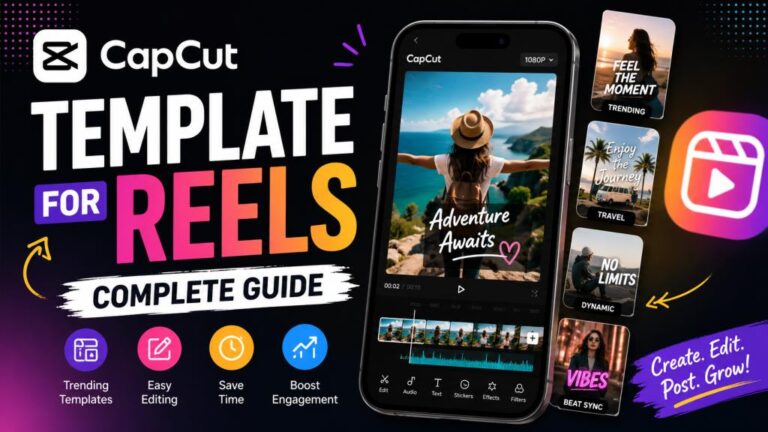
Instagram Reels are one of the most common uses for short video templates. A suitable template can help you create content with a strong visual flow. Photo-based templates are useful for personal memories, fashion posts, travel content, and celebrations. Beat-based templates can work well when the video depends heavily on music.
For Reels, pay attention to the video’s vertical format. The content should look good on a phone screen. You should also make the opening seconds interesting. Viewers often decide quickly whether they want to continue watching. A good template cannot replace good content. Your photos, clips, text, and overall idea still determine whether the Reel is interesting.
CapCut Templates for YouTube Shorts and Status Videos
Templates are also useful for YouTube Shorts and social media status videos. Short videos require clear visuals because viewers consume them quickly. For YouTube Shorts, choose a design that fits the topic. Educational content may need a cleaner style, while entertainment content can use more dynamic effects.
For status videos, simple photo templates can be enough. You can create a short video from family photos, travel memories, celebrations, or personal moments. The key is to avoid unnecessary effects. Too many transitions can make a video difficult to watch. Choose a template based on the message you want to communicate, not just its visual effects.
Read More: AI Work EditProTips: Complete Guide, Features & Review
Benefits of Using CapCut Video Templates
One of the biggest benefits is time savings. You do not need to manually create every transition and effect. Templates are also beginner-friendly. Someone with little editing experience can create a more structured video without understanding advanced editing techniques.
Another benefit is consistency. A template can provide a clear visual style from the beginning to the end of a video. Templates can also provide creative inspiration. If you do not know how to arrange your photos or clips, seeing a ready-made design can give you ideas. They are especially useful for creators who need to publish content regularly. A template can reduce the amount of repetitive editing work.
Common Problems and Solutions
Although templates are convenient, users may sometimes face problems. A template may not appear in every region or account. Availability can depend on the app version, location, device, or current CapCut features. Another issue can occur when a template requires a specific number of photos or clips. If you select the wrong amount, you may not be able to continue.
Some templates may also depend on particular effects or media. If something does not work as expected, updating the app and checking the template requirements can help. Export problems may be related to device storage, app permissions, or other technical issues. Keeping the app updated and maintaining enough storage can help prevent common problems.
Pros and Cons of CapCut Video Templates
A CapCut Video Template offers several advantages, but it also has limitations.
Pros
- Saves editing time.
- Easy for beginners.
- Provides ready-made transitions and effects.
- Useful for Reels and Shorts.
- Offers many creative styles.
- Can provide inspiration for new video ideas.
Cons
- Customization may be limited.
- Popular templates can become repetitive.
- Availability may vary by region.
- Some templates may not fit every type of content.
- A template does not automatically make low-quality footage look professional.
The right choice depends on your needs. If you want speed and convenience, templates can be very useful. If you want complete creative control, manual editing may be better.
CapCut Video Template Review: Is It Worth Using?
After considering the features, ease of use, benefits, and limitations, the CapCut Video Template system can be a useful option for many casual creators and beginners. Its strongest feature is convenience. You can start with a ready-made design rather than building a complete video from scratch.
The templates can be especially useful for short-form content. They can help users create videos for Instagram, YouTube, and other social platforms more efficiently. However, users should not depend on templates for every project. If every video uses the same popular design, the content may start to look similar to other creators.
The best results come from combining a template with original photos, clips, text, and ideas. Overall, CapCut templates are worth trying if your priority is quick and simple video creation. They are less suitable when you need complete control over every part of the editing process.
CapCut Video Template: Quick Comparison Table
| Feature | Details | Best For |
|---|---|---|
| Ease of use | Beginner-friendly | New editors |
| Editing speed | Faster than manual editing | Quick content |
| Templates | Many styles and formats | Social media creators |
| Customization | Depends on the template | Personal edits |
| Transitions | Often pre-designed | Reels and Shorts |
| Effects | Usually included in the design | Creative videos |
| Music | May be included or linked to the design | Beat edits |
| Photo support | Commonly available | Photo slideshows |
| Video support | Available depending on template | Short-form videos |
| Skill level | Beginner to advanced | Most users |
| Best platforms | Instagram, YouTube and social media | Short videos |
| Main advantage | Saves time | Fast editing |
| Main limitation | Less control than manual editing | Users wanting full customization |
Frequently Asked Questions About CapCut Video Templates
What is a CapCut Video Template?
A CapCut Video Template is a ready-made video editing design that users can customize with their own photos and videos. It may include transitions, effects, music, text, and timing.
Are CapCut Video Templates free?
Some templates may be available without an additional charge, while certain features or content may have specific requirements. Availability can change over time and may differ by region or app version.
Can beginners use CapCut templates?
Yes. Templates are particularly useful for beginners because much of the editing structure is already prepared.
Can I use templates for Instagram Reels?
Yes. Templates can be useful for creating short vertical videos such as Instagram Reels. You should always check the final format before publishing.
Can I add my own photos to a CapCut template?
Yes, templates commonly allow users to replace sample media with their own photos or video clips. The exact number of required files depends on the template.
Why is my CapCut template not working?
Possible reasons include app version issues, regional availability, missing media, unsupported features, or temporary technical problems. Updating the app and checking the template requirements may help.
Do CapCut templates reduce video quality?
The final quality depends on several factors, including your original media, template settings, export settings, and the platform where you upload the video. Using high-quality original footage is important.
Can I customize a CapCut template?
Customization options depend on the specific template. Some allow more changes than others. You may be able to replace media, edit text, or adjust certain elements.
Are CapCut templates good for YouTube Shorts?
Yes. They can help create short, visually engaging videos quickly. Choose a template that matches your topic and vertical video format.
Should I use a trending template for every video?
No. Trending templates can be useful, but using them too often can make your content look repetitive. Original ideas and relevant content are more important than following every trend.
Conclusion
A CapCut Video Template can make short-form video editing much easier. It gives users a ready-made structure with elements such as transitions, effects, text, and timing. For beginners, the biggest advantage is simplicity. For experienced creators, the main benefit is speed. Templates can be useful for Instagram Reels, YouTube Shorts, status videos, travel edits, celebrations, and many other projects.
At the same time, templates should be treated as a starting point rather than a complete creative solution. Your own photos, videos, ideas, and customization are what make the final result unique. If you want fast, simple, and visually attractive video editing, CapCut templates are worth exploring. Just choose designs that fit your content and avoid relying entirely on trends.
One Comment