Retro Style Photo Edit: Complete Guide and Honest Review
What Is a Retro Style Photo Edit?
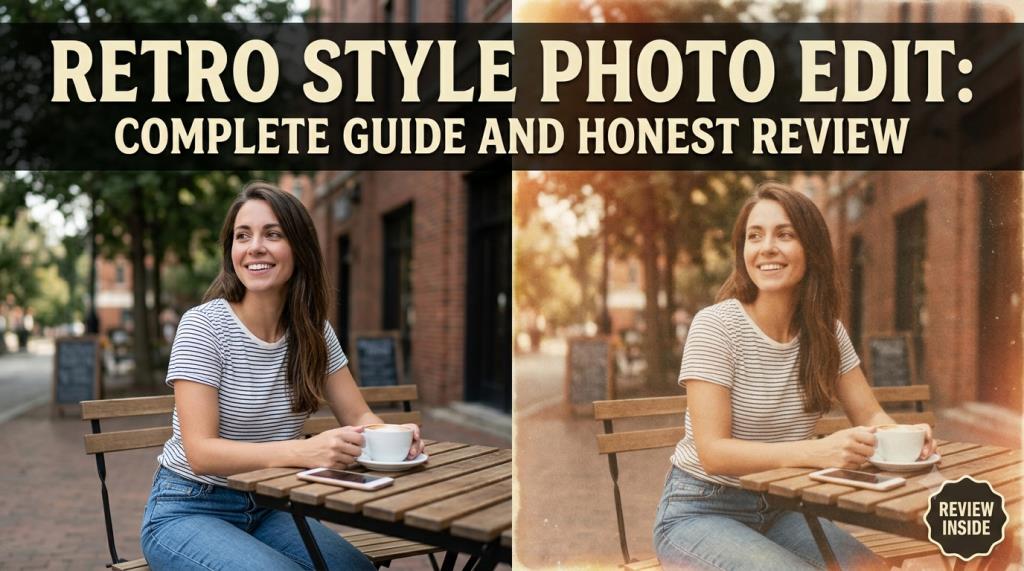
A retro style photo edit changes a modern picture into an image that looks inspired by an earlier time. It may copy the look of photographs from the 1970s, 1980s, or 1990s. The final image often has warm colors, soft light, film grain, faded shadows, and old-fashioned clothing.
Retro editing is not only about making a photo look old. It is also about creating a special mood. The picture may feel romantic, cinematic, emotional, or nostalgic. It can remind people of old family albums, printed movie posters, film cameras, and classic Indian cinema. At editprotipsai.net, readers can learn how to create a retro style photo edit using simple mobile apps, professional editing software, and modern AI tools.
A retro edit can be created in two main ways. The first method uses filters and manual settings. The second method uses an AI prompt. Manual editing gives the user more control. AI editing is usually faster and easier. However, not every faded photo is a good retro image. A successful retro edit should have balanced colors, suitable clothing, natural skin, believable lighting, and a background that matches the chosen period.
Why Retro Style Photo Editing Is Trending in India
Retro photo editing has become popular because Indian users have a strong connection with old Bollywood films, traditional fashion, family photography, and vintage music culture. Many people enjoy seeing themselves in a scene that looks like an old Hindi film.
The trend became more visible when social media users started creating 1990s Bollywood portraits, retro saree photographs, vintage wedding scenes, and old-film-style festival images. AI tools made these effects easier for people who did not know Photoshop or Lightroom.
A widely shared trend in 2025 involved people turning ordinary portraits into 90s Bollywood-style saree images with Gemini. In 2026, similar vintage Indian styles were used for festival pictures, including nostalgic Holi scenes.
Instagram, Facebook, Pinterest, and short-video platforms also help these images spread quickly. A person can create one picture, add an old song, and publish it as a reel or story. The emotional style attracts attention because it looks different from a normal phone photograph.
The trend also works for both men and women. Men can create vintage hero portraits, old studio photographs, or classic formal looks. Women can create retro saree images, soft cinematic portraits, and old Bollywood-inspired scenes. This mix of nostalgia, Indian fashion, cinema, and easy AI editing is the main reason the retro style photo edit continues to attract interest.
Main Features of a Retro Style Photo
A good retro picture usually contains several visual features. The colors are often warmer than those in a normal digital photo. Yellow, orange, brown, red, cream, olive green, and faded blue are common choices. Film grain is another important feature. Grain creates small visible textures across the image. It copies the natural appearance of older photographic film. Too much grain can damage facial details, so it should be added carefully.
Retro photographs may also have lower contrast. The darkest parts are not always completely black. Instead, they may look slightly gray or faded. Highlights can have a soft glow. A light vignette is often used around the corners. It makes the centre of the image look brighter and helps direct attention toward the subject. Light leaks, dust, scratches, and faded borders can also be included.
Clothing matters as much as color. A modern T-shirt in an old palace background may not look believable. A classic shirt, saree, kurta, suit, scarf, or traditional dress usually creates a stronger result. The pose should also match the style. Calm expressions, side lighting, direct eye contact, simple hand positions, and natural body posture often work better than extreme modern poses. The best retro style photo edit combines all these features without making the image look artificial.
Popular Types of Retro Photo Editing Styles
There is no single retro style. Different decades had different colors, cameras, clothing, and visual moods. A 1970s-inspired edit may use stronger yellow, orange, green, and brown tones. It may also include printed shirts, large sunglasses, old cars, and hand-painted movie-poster effects.
An 1980s edit can use bright colors, harder flash, strong makeup, bold fashion, studio backgrounds, and visible film texture. Some edits also use neon light and dramatic shadows. A 1990s Bollywood style usually has romantic lighting, soft skin, flowing clothing, dreamy outdoor backgrounds, and cinematic color. Sarees, formal shirts, old rooms, gardens, and railway scenes are often used.
A vintage studio portrait copies the look of old family photography. It may use a plain curtain, wooden chair, painted background, direct flash, and formal clothing. Another popular choice is the old wedding-photo effect. This style uses traditional dress, soft red and gold shades, printed-photo texture, and slightly faded details. Black-and-white retro editing is also common. It focuses on contrast, facial expression, shadows, and composition instead of bright colors. The right style depends on the subject, clothing, location, and purpose of the final image.
Retro Style Photo Edit for Boys and Girls
A retro style photo edit for boys often takes inspiration from classic film heroes, old studio portraits, musicians, and 1980s or 1990s fashion. A plain white shirt, leather jacket, vintage suit, printed shirt, or traditional kurta can work well. The background may show an old street, cinema hall, railway station, vintage room, motorcycle, record shop, or countryside location. Side lighting and a serious expression can create a cinematic result.
For girls, retro saree photography remains one of the most familiar styles. Chiffon sarees, floral dresses, traditional jewellery, soft curls, flowers in the hair, and warm sunset light are common elements. However, users should not copy the same viral saree prompt every time. A unique setting can make the image more memorable. A library, old balcony, village home, theatre entrance, or classic photography studio may create a fresher result.
Couple photos can use a romantic film scene, old wedding portrait, rainy street, garden, or train-platform theme. The clothing and light should match for both people. The most important rule is to protect facial identity. The finished edit should still look like the original person. A beautiful image has less value when the face becomes unrecognisable.
How AI Is Used for Retro Style Photo Editing
AI has changed photo editing by allowing users to describe the desired result in normal language. Instead of moving many sliders, the user can upload a picture and write a prompt. The prompt may describe clothing, camera type, decade, background, lighting, pose, color, and image quality. The AI then generates or edits an image based on those instructions.
For example, a user can request a 1990s Indian film portrait with a cream saree, warm window light, natural skin, realistic film grain, and an old apartment background. Modern Gemini tools support image generation and editing, including edits based on uploaded images. Google’s current Gemini listing also describes controls for lighting, image blending, mockups, and resizing, although availability and results can vary by account, model, region, and image.
AI is useful for large changes. It can replace clothing, create a new background, change the time period, or build a full cinematic scene. Manual apps are better for small and exact changes. They allow users to control exposure, grain, shadows, skin tone, and color without rebuilding the entire picture. A strong workflow often combines both methods. AI creates the main retro scene. A manual editor then improves the color, crop, grain, and final sharpness.
Best Apps and Tools for Retro Style Photo Edit
Different tools are suitable for different users. Beginners may prefer one-tap filters. Experienced editors may want detailed color controls. AI users may prefer prompt-based tools. Snapseed is a useful choice for manual mobile editing. Its official tool collection includes Grainy Film, Vintage, Retrolux, Noir, Vignette, and other filters. The Grainy Film tool lets users control grain and style strength.
Lightroom is better for careful color work. Its mobile tools allow users to grade shadows, midtones, and highlights separately. This is helpful when creating warm highlights and cooler faded shadows. Canva is suitable for fast social-media designs. It offers vintage and retro filters, intensity controls, adjustment tools, vignette effects, and film-camera effects such as grain and light leaks. Picsart provides ready-made vintage effects and adjustable filter strength. Some effects can be tried without payment, while other tools may require a subscription.
Retro Editing Tool Comparison Table
| Tool | Best For | Main Editing Method | Free Option | Strong Point | Main Limitation |
|---|---|---|---|---|---|
| Google Gemini | AI scene creation | Text prompts and uploaded images | Limited access available | Can change clothing, light and background | Face or details may change |
| Snapseed | Mobile manual editing | Filters and adjustment tools | Yes | Strong grain and vintage controls | No full AI scene generation |
| Lightroom | Professional color work | Sliders, curves and color grading | Some tools are free | Accurate color and light control | Takes time to learn |
| Canva | Social posts and simple edits | Filters, templates and effects | Yes | Easy for beginners | Less detailed than Lightroom |
| Picsart | Creative mobile effects | Filters, overlays and AI features | Some tools are free | Many styles in one app | Some useful tools are paid |
| Photoshop | Advanced professional editing | Layers, masks and AI tools | Usually paid | Maximum editing control | More difficult for beginners |
There is no perfect app for every user. Gemini is best for fast transformation. Snapseed is best for free manual editing. Lightroom is best for color control. Canva is best for simple social designs.
Google Gemini Retro Style Photo Edit Review
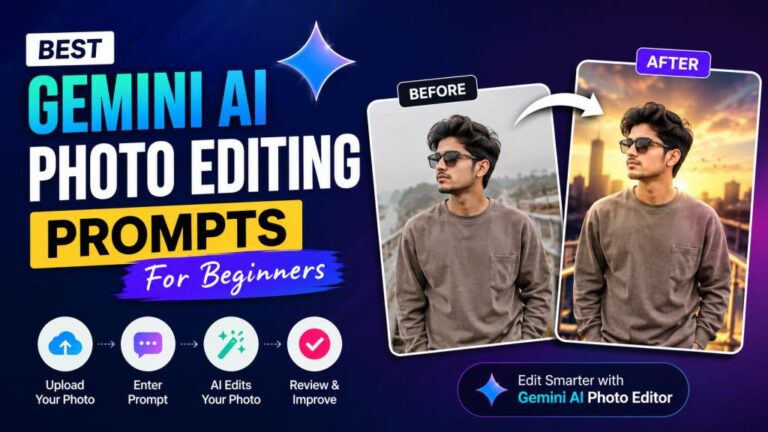
Google Gemini is one of the most discussed tools for AI-based retro editing. Its biggest advantage is simplicity. A user can upload a clear portrait, describe the desired look, and receive a new result without learning complex editing software. Gemini performs well when the prompt is clear. It can understand instructions about clothing, decade, camera style, location, lighting, and mood. It is especially useful for changing a modern portrait into a cinematic scene.
The results can look impressive. Clothing texture, hair, light, and backgrounds may appear highly detailed. It is also possible to request corrections through a second prompt. However, Gemini is not always accurate. It may change the shape of the face, eyes, body, jewellery, hands, or clothing. Text inside the image may also contain mistakes.
The quality depends heavily on the source photo. A dark, blurry, cropped, or heavily filtered image gives the AI less useful information. Gemini may also produce different results from the same prompt. This is useful for creativity but less useful when exact control is required. Our honest review is that Gemini is a strong tool for creating the main idea of a retro style photo edit. It is not a complete replacement for manual editing. The best results often need final correction in Snapseed, Lightroom, or another editor.
Read More: Gemini AI Photo Prompt Copy Paste: Full Review 2026
How to Create a Retro Style Photo Edit Step by Step
- Choose a clear photo. Use a sharp portrait with good facial details. A simple background is usually easier to edit.
- Select a decade. Decide whether the image should look like the 1970s, 1980s, or 1990s. Do not mix too many periods.
- Choose your editing tool. Use Gemini for a major transformation. Use Snapseed or Lightroom for a realistic manual effect.
- Write a detailed prompt. Mention clothing, background, light, camera angle, film grain, color, facial identity, and image ratio.
- Generate several versions. Compare the face, hands, clothing, background, and lighting. Do not accept the first result without checking it.
- Correct visible problems. Ask the AI to restore facial identity, fix hands, simplify jewellery, or remove unwanted objects.
- Finish the image manually. Adjust crop, warmth, contrast, grain, sharpness, and vignette. Export the final picture at a suitable resolution.
This process creates a more controlled retro style photo edit than using a short prompt and publishing the first output.
Best AI Prompts for Retro Style Photo Editing
The best prompt gives the AI clear visual instructions. It should also tell the tool what must not change.
- 90s Bollywood portrait: “Transform this photo into a realistic 1990s Bollywood film portrait. Keep the same face and natural skin. Add warm sunset light, soft film grain, faded colors, gentle shadows, classic Indian clothing, and an old cinematic background. Use realistic photography, not illustration.”
- Retro saree edit: “Create a vintage Indian portrait using this photo. Keep the person’s exact facial identity. Add an elegant chiffon saree, soft curls, small traditional earrings, warm window light, muted colors, realistic 35mm film grain, and a simple 1990s apartment background.”
- Retro edit for boys: “Turn this portrait into a classic 1980s Indian film-hero photograph. Keep the face unchanged. Add a vintage shirt, natural hairstyle, old city street, warm light, faded black tones, subtle grain, and realistic camera texture.”
- Old studio portrait: “Create an authentic Indian studio portrait from the late 1980s. Use a painted curtain background, wooden chair, formal clothing, direct soft flash, slightly faded print colors, natural skin texture, and gentle film grain.”
- Retro couple photo: “Transform this couple photo into a romantic 1990s Indian cinema still. Keep both faces accurate. Add coordinated vintage clothing, soft evening light, an old railway platform, realistic film color, natural poses, and subtle grain.”
Avoid using empty phrases such as “make it beautiful” or “make it viral.” They do not explain the actual visual result.
How to Create a 90s Bollywood Retro Photo Look
The 90s Bollywood look is built around romance, soft light, expressive poses, and simple but memorable clothing. Start with a warm color balance. Skin should look natural, while the overall picture can contain soft yellow, orange, cream, red, or green tones. Avoid making the image completely orange.
Reduce harsh digital sharpness. Old film images were usually softer than modern phone pictures. A small amount of grain can make the edit feel more believable. Clothing should support the story. Sarees, classic shirts, kurtas, simple dresses, jackets, and formal outfits can work well. The design should not appear too modern.
Choose a cinematic location. Gardens, old homes, balconies, railway stations, rainy roads, hill areas, and simple studio backgrounds can create a familiar film mood. Lighting is very important. Soft sunset light, window light, cloudy daylight, or gentle backlighting often creates a better retro feeling than bright front light. Do not add every possible effect. Heavy scratches, extreme blur, strong orange color, and large light leaks can make the picture look like a cheap filter. A good 90s retro style photo edit should feel like a lost film still, not a modern selfie covered by effects.
Common Mistakes to Avoid in Retro Photo Editing
One common mistake is adding too much grain. Grain should create texture, but the face should remain clear. Heavy grain can make a high-quality image look damaged. Another mistake is using extreme yellow or brown color. Older photographs had many different color styles. They were not all dark brown or sepia.
Users also make the mistake of mixing time periods. A 1970s shirt, 1990s background, modern smartphone, and futuristic neon light may create an unclear result. Face changes are a major AI problem. Always inspect the eyes, nose, mouth, jawline, hairstyle, and skin. The image may look attractive while no longer looking like the original person.
Hands and jewellery should also be checked. AI may generate extra fingers, broken bangles, uneven earrings, or objects that blend into the body. Poor source images cause further problems. The AI cannot preserve details that are not clearly visible in the original photo.
Finally, many users copy the same prompt without changing it for their own picture. A prompt should be adjusted for gender, clothing, pose, background, skin tone, and desired decade.
Advantages and Disadvantages of Retro Style Photo Editing
The main advantage is creative freedom. A user can explore old fashion, cinema, photography, and cultural themes without arranging a full professional photo shoot. AI also saves time. A complex background or clothing change can be generated in a few minutes. This makes retro editing accessible to beginners.
The style works well for profile pictures, social posts, festival greetings, wedding concepts, posters, thumbnails, and personal creative projects. Manual retro editing has another benefit. It can improve an image without changing the person’s real face or body. The user controls every adjustment.
The main disadvantage is inconsistency. An AI tool may create a beautiful result in one attempt and a poor result in the next. AI edits can also create false facial details, unrealistic hands, incorrect cultural clothing, or backgrounds that do not match the intended time. Privacy is another concern because the user may need to upload a personal photograph to an online service. Overuse is also a problem. When every image uses the same viral prompt, the results begin to look repetitive. Original ideas, personal locations, and unique clothing can make the edit more valuable.
Privacy and Safety Tips for AI Photo Editing
Uploading a photograph to an AI service should be treated carefully. The photo may contain a face, home, school, workplace, vehicle number, location, or another private detail.
Google explains that some Gemini-related features in Google Photos can process photographs and account information to provide edits, suggestions, and personalised responses. Users should read the current privacy information for any service before uploading sensitive images.
- Upload a cropped copy instead of the original file when possible.
- Avoid uploading identity cards, private documents, children’s photos, or intimate images.
- Remove location data and private background details.
- Read the platform’s privacy and image-use terms.
- Do not create misleading images of another person without permission.
- Keep the original photo stored safely.
- Review the final image before sharing it publicly.
AI tools and privacy rules can change. Users should check the latest settings inside the app rather than depending only on an old tutorial.
Is Retro Style Photo Edit Worth Trying? Final Review
A retro style photo edit is worth trying for users who enjoy old cinema, traditional fashion, film photography, and creative social content. It can turn an ordinary portrait into an emotional and visually attractive image.
AI tools have made this process easier. Gemini can create a large visual transformation from a written prompt. Snapseed and Lightroom can then improve grain, color, light, and sharpness.
The process is not perfect. AI may change the face, body, hands, clothing, or cultural details. Users should inspect every result carefully.
Our final view is that the best method is a mixed workflow. Use AI for the main scene. Use a manual editor for the final finish. This gives speed without losing all creative control.
For beginners, Snapseed is a strong free option. Canva and Picsart are suitable for simple and fast effects. Lightroom is better for users who want more accurate color. Gemini is useful when the user wants a completely new retro environment.
The final quality does not depend only on the app. It depends on the original photo, prompt, color choice, clothing, lighting, and attention to detail.
A natural face, balanced film grain, believable clothing, and a suitable background are more important than exaggerated effects.
When used carefully, a retro style photo edit can create a powerful feeling of nostalgia. It can also help users explore Indian fashion and classic cinema in a modern way.
The trend may change, but the appeal of old photographs is unlikely to disappear. People continue to value pictures that feel warm, personal, cinematic, and connected to memory.
For that reason, retro style photo editing remains a useful and enjoyable creative method in 2026.