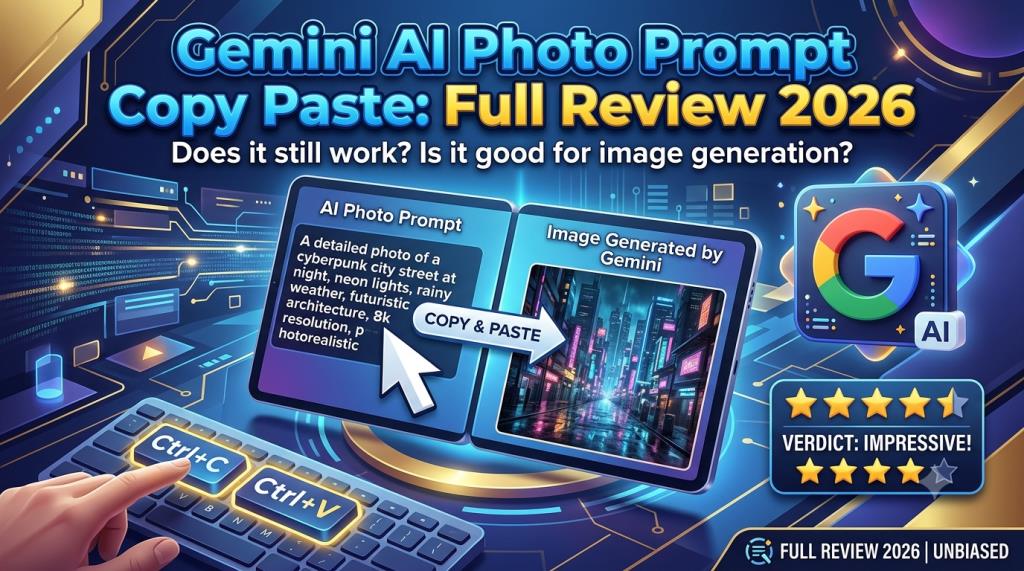
Gemini AI Photo Prompt Copy Paste: Full Review 2026
What Is Gemini AI Photo Prompt Copy Paste?
Gemini AI photo prompt copy paste means a ready-made text instruction that users can paste into Google Gemini. The instruction tells Gemini what type of image to create or how an uploaded photo should be changed. A prompt may describe the person, clothes, pose, background, lighting, camera angle, mood, colours, and image quality. A simple prompt may only request a background change. A detailed prompt may turn an ordinary selfie into a cinematic portrait.
The main purpose of a copy-and-paste prompt is to save time. Many users do not know how to write a detailed AI prompt. They may also find technical photography words difficult. A ready-made prompt gives them a useful starting point. At editprotipsai.net, readers can explore simple prompt ideas and learn how to modify them for better and more personal results.
Google Gemini currently supports both image generation and image editing. Users can generate a new image, upload a photo for editing, edit an image previously created in Gemini, or combine information from multiple uploaded images. Availability may depend on age, region, account type, device, and current usage limits. However, a copied prompt should not always be used without changes. The best results usually come when the user adds personal details. These may include clothing colour, location, facial expression, photo size, and background style.
Therefore, Gemini AI photo prompt copy paste is best treated as a flexible template, not a guaranteed one-click solution.
Why Gemini AI Photo Prompts Are Trending in India
AI photo editing has attracted attention among Indian social media users. People often want stylish profile pictures, festival images, wedding portraits, birthday posters, and cinematic photos. However, professional photography and editing can require time, money, and technical skill. A Gemini AI photo prompt copy paste template makes the process easier. A user can upload a normal image and request a new dress, better lighting, a clean background, or a different visual theme.
Indian users also search for specific cultural styles. Common examples include saree portraits, kurta-pajama looks, sherwani photos, lehenga designs, traditional jewellery, wedding stages, village backgrounds, and festival scenes. Social media is another major reason for this interest. Instagram, Facebook, WhatsApp, YouTube, and short-video platforms reward attractive visual content. Users want profile pictures and posts that look professional without spending hours in editing software.
The phrase itself is also easy to understand. It directly explains what the searcher wants. The user wants a Gemini prompt that is ready to copy and paste. The keyword covers several types of search intent. Some users want instructions. Some want free prompts. Others want a review of Gemini’s image quality. Many users simply want to upload a photo and create a viral-looking image. This makes the keyword useful for an informative article. It allows a writer to cover prompts, tutorials, features, limitations, privacy, safety, and an honest review in one place.
How Gemini AI Photo Generation Works
Gemini uses generative artificial intelligence to understand written instructions and create visual content. The user describes an image in normal language. Gemini interprets the request and produces an image based on the details provided. When a user uploads a photo, Gemini can use the image as a visual reference. The user may ask it to change the background, clothing, lighting, style, or other visible elements. Gemini may also create a new composition inspired by multiple uploaded images.
The current Gemini image system includes different models for different levels of speed and quality. Google describes Nano Banana 2 as a fast image generation and editing model. Nano Banana Pro is designed for more complex work where accuracy, detail, text rendering, and composition matter more. The system does not edit photos in exactly the same way as Photoshop. Traditional editing software changes selected pixels through manual tools. Gemini studies the prompt and generates a new visual result.
This difference is important. A result may look impressive, but small parts can change unexpectedly. Facial details, jewellery, fingers, text, clothing patterns, or background objects may not always remain perfect. The quality of a Gemini AI photo prompt copy paste result depends on the original image and the written instruction. A clear front-facing photo normally gives the AI more useful visual information. A detailed prompt also reduces uncertainty. The process works best when the user makes one clear request at a time. A very long prompt with many conflicting ideas may confuse the model.
How to Use Gemini AI Photo Prompts Step by Step
Using a ready-made prompt is simple. However, following the correct order can improve the result.
- Open the Gemini app or visit Gemini through a supported web browser.
- Sign in with a Google account.
- Start a new conversation and choose the image creation option when it is available.
- Upload a clear photo when you want to edit yourself, another permitted subject, or an object.
- Copy your selected Gemini AI photo prompt copy paste text.
- Replace general details with your own choices. Change the dress colour, location, mood, lighting, or image ratio.
- Paste the prompt into Gemini and submit it.
- Review the generated image carefully. Check the face, hands, clothing, background, text, and other small details.
- Ask Gemini to correct one issue at a time. For example, write, “Keep the face unchanged and remove the people in the background.”
- Save the image only after checking that it looks natural and does not contain misleading or harmful details.
Gemini also allows users to return to images in their library and continue editing them through chat. Its official computer instructions explain that a user can select an existing image, open the chat option, and enter another editing prompt.
Do not expect every prompt to work perfectly on the first attempt. Small follow-up instructions are a normal part of AI image editing.
Best Gemini AI Photo Prompt Copy Paste for Boys
Boys commonly search for prompts related to attitude portraits, formal suits, bikes, cars, street photography, gym styles, traditional clothes, and cinematic backgrounds.
A useful prompt is:
“Create a realistic cinematic portrait of the person in the uploaded photo. Keep the original face, skin tone, hairstyle, and body shape natural. Dress him in a fitted black shirt, dark trousers, and a simple wristwatch. Place him beside a modern city street at night. Add soft street lights, natural shadows, shallow depth of field, and professional camera quality. Use a vertical 4:5 ratio.”
Another Gemini AI photo prompt copy paste example is:
“Turn this photo into a premium Indian traditional portrait. Keep the face accurate and natural. Dress the person in a clean white kurta with a dark embroidered waistcoat. Place him inside an elegant heritage building. Use warm golden lighting, realistic fabric details, soft background blur, and a professional portrait style.”
Users should avoid adding too many luxury items to one prompt. A sports car, private jet, expensive watch, city skyline, sunglasses, and palace background may make the image look artificial.
Quick Prompt Comparison Table
| Prompt Type | Best Clothing | Suggested Background | Lighting Style | Best Ratio |
|---|---|---|---|---|
| Stylish boy portrait | Black shirt or denim jacket | City street | Soft cinematic light | 4:5 |
| Professional portrait | Formal suit | Office or studio | Clean softbox light | 4:5 |
| Traditional Indian look | Kurta and waistcoat | Heritage building | Warm golden light | 4:5 |
| Social media DP | Casual shirt | Blurred outdoor area | Natural daylight | 1:1 |
| Attitude portrait | Leather or dark jacket | Urban night scene | High-contrast light | 4:5 |
| Birthday portrait | Smart casual clothes | Decorated studio | Bright soft light | 4:5 |
| Travel portrait | Comfortable casual wear | Mountain or beach | Golden-hour light | 16:9 |
Simple Prompt Formula Table
| Prompt Element | What to Write |
|---|---|
| Subject | Boy, man, student, professional, groom, or traveller |
| Face instruction | Keep the original face and skin tone natural |
| Clothing | Describe the style, colour, and fabric |
| Pose | Standing, sitting, walking, looking at camera |
| Background | Street, studio, palace, office, beach, or village |
| Lighting | Daylight, sunset, studio, neon, or golden-hour light |
| Camera style | DSLR portrait, shallow depth of field, realistic details |
| Image ratio | 1:1, 4:5, 9:16, or 16:9 |
| Final quality | Natural skin, sharp face, realistic hands, high detail |
Best Gemini AI Photo Prompt Copy Paste for Girls
Girls often search for saree portraits, bridal looks, casual fashion, professional headshots, traditional outfits, travel photos, and soft cinematic images.
A practical prompt is:
“Create a realistic portrait from the uploaded photo. Keep the woman’s original face, skin tone, hairstyle, and natural features unchanged. Dress her in an elegant pastel saree with a simple matching blouse. Add light traditional jewellery and natural makeup. Place her near a bright window with soft daylight. Use a clean background, realistic fabric texture, gentle shadows, and a professional camera look.”
Another prompt is:
“Transform this photo into a modern outdoor fashion portrait. Keep the original face accurate. Dress the person in a modest long dress with natural folds. Place her in a flower garden during golden hour. Add soft sunlight, realistic hair details, a blurred background, and balanced colours. Create a vertical 4:5 social media image.”
A Gemini AI photo prompt copy paste template should not force unrealistic beauty changes. Requests such as extremely smooth skin, a completely different body shape, or unnatural facial changes can make the result less authentic.
It is better to ask for natural skin texture, balanced light, realistic makeup, and accurate facial identity.
Users should also make sure they have permission before uploading or editing another person’s photo.
Read More: Happy Birthday Wishes with Name and Photo Edit Review
Gemini AI Couple Photo Prompts
Couple prompts are used for engagement images, anniversary posts, wedding photos, romantic portraits, and travel memories. These prompts need careful identity instructions because the AI must preserve two different faces.
A useful example is:
“Create a realistic romantic portrait using the two uploaded photos. Keep both faces accurate and clearly different. Preserve their natural skin tones, hairstyles, and body proportions. Dress the man in a navy suit and the woman in a deep red saree. Place them in an elegant garden during sunset. Show them standing side by side with a natural smile. Add warm light, soft background blur, realistic hands, and professional wedding photography quality.”
For a casual result, use:
“Create a natural couple travel photo using the uploaded images. Keep both original faces unchanged. Dress them in simple casual clothes. Place them on a peaceful mountain viewpoint in the early morning. Use soft daylight, natural poses, realistic shadows, and a wide 16:9 composition.”
A couple Gemini AI photo prompt copy paste should clearly describe where each person stands. It should also explain what each person wears. Without these details, clothing, faces, or body positions may become mixed.
The prompt should avoid complex hand poses. AI systems can still make errors when several hands overlap. Simple standing or walking poses often look more realistic.
Gemini AI Traditional Indian Photo Prompts
Traditional Indian prompts can include regional clothing, architecture, jewellery, festivals, and family ceremonies. These prompts become stronger when the cultural details are specific.
For a male portrait, a prompt may request a kurta, sherwani, Nehru jacket, dhoti, or regional headwear. For a female portrait, it may describe a saree, salwar suit, lehenga, anarkali dress, or traditional jewellery.
An example is:
“Create a realistic traditional Indian festival portrait from the uploaded photo. Keep the original face and natural skin tone. Dress the person in a royal blue embroidered kurta with a cream-coloured waistcoat. Place him in a beautifully decorated courtyard with warm lamps and subtle flower decorations. Use festive golden light, realistic cloth texture, natural shadows, and high-quality portrait photography.”
Another Gemini AI photo prompt copy paste can request a Bengali saree style, South Indian wedding style, Rajasthani setting, Punjabi festival look, or modern Indo-western outfit.
Users should describe cultural clothing respectfully. It is also wise to avoid combining unrelated cultural details just because they look colourful. A focused visual theme usually creates a more believable image.
Specific prompts are more useful than broad prompts. Instead of writing “make it Indian,” describe the dress, location, decorations, colours, and event.
Gemini AI Cinematic and Stylish Photo Prompts
A cinematic prompt attempts to create the mood of a film scene. It often uses dramatic lighting, controlled colours, background blur, shadows, and a strong composition.
A good example is:
“Create a cinematic close-up portrait using the uploaded photo. Preserve the original face and natural skin texture. Place the person near a rainy city window at night. Add soft blue and warm orange lighting, realistic reflections, shallow depth of field, gentle film grain, and a serious expression. Keep the image realistic and avoid excessive skin smoothing.”
The words “cinematic” and “stylish” are not enough on their own. Users should explain the visual mood. They can mention sunset light, fog, rain, neon signs, warm lamps, dark shadows, or a clean studio.
Camera terms can also help. Google’s own prompt advice recommends describing the subject, composition, action, location, and style. It also suggests adding camera angles and lighting when greater control is needed.
A detailed Gemini AI photo prompt copy paste may include “eye-level portrait,” “low-angle shot,” “85mm portrait lens effect,” or “shallow depth of field.”
These terms guide the visual direction. They do not guarantee that Gemini will copy the exact behaviour of a physical camera.
Gemini AI Birthday and Festival Photo Prompts
Birthday prompts are useful for posters, invitations, profile photos, and social media posts. They can include balloons, cake, lights, flowers, name text, and age numbers.
For example:
“Create a premium birthday portrait using the uploaded photo. Keep the original face natural and accurate. Dress the person in a smart black outfit. Place them in a modern studio with gold and white balloons, soft decorative lights, and a simple birthday cake. Add the text ‘Happy Birthday’ clearly in the background. Use bright soft lighting, realistic details, and a vertical 4:5 ratio.”
Gemini’s newer professional image model has improved control over text inside images. Google says Nano Banana Pro is designed to create more accurate and readable text in posters, mockups, and other visual assets. However, users should still inspect every letter before publishing.
Festival prompts may cover Diwali, Holi, Eid, Durga Puja, Navratri, Christmas, New Year, or regional celebrations.
A festival Gemini AI photo prompt copy paste should mention safe and realistic decorations. For example, a Diwali prompt may use warm lamps and rangoli designs. An Eid prompt may use elegant traditional clothing, mosque-inspired architecture, and soft evening light.
Avoid adding too many words inside an AI image. A short greeting usually produces a cleaner result. Longer text can be added later with a normal graphic design tool.
How to Create Realistic Photos with Gemini AI
Realistic images begin with a good source photo. Use a clear image with enough light. The face should not be covered by sunglasses, heavy shadows, hair, or other objects. The prompt should clearly say which features must remain unchanged. Useful wording includes: “Keep the original face, skin tone, hairstyle, age, and natural body proportions.” The clothing should also be described carefully. Mention the colour, material, and overall design. Instead of saying “wear a beautiful dress,” say “wear a simple dark green cotton dress with natural fabric folds.”
Lighting has a major effect on realism. Natural daylight, window light, studio softbox light, and golden-hour sunlight are usually easy to understand. Several conflicting light sources can make the image look artificial. The background should match the subject. A simple studio, office, garden, street, or home interior is easier than a crowded scene.
A realistic Gemini AI photo prompt copy paste should also include correction instructions. Ask for natural hands, accurate facial features, proper shadows, readable text, and realistic fabric. After generation, zoom in and inspect the image. Look for extra fingers, mixed jewellery, uneven eyes, floating objects, distorted text, or impossible reflections. Realistic does not always mean truthful. An AI-generated photo may look like a real event even when the event never happened. Users should not present fictional images as proof of travel, achievement, relationships, news, or professional experience.
Gemini AI Photo Editing Features and Performance
Gemini’s main advantage is conversational editing. A user can create an image and then request changes in normal language. The user does not need to select layers or use complex editing tools. Official Gemini support says users can edit generated images, upload an image for modification, and combine multiple uploaded images into a new creation.
The system is useful for background replacement, clothing changes, object removal, style changes, colour adjustments, and new compositions. It can also create posters and graphics that contain text. Performance depends on the request. Simple portrait changes are often easier than crowded group scenes. Faces may remain close to the source, but they may not be perfectly identical in every result.
Nano Banana 2 focuses on fast, high-quality generation and editing. Nano Banana Pro is positioned for more complex and professional tasks where stronger control and accuracy are required. Gemini Apps also use compute-based limits. Google states that limits can depend on prompt complexity, model choice, feature use, and chat length. Limits and refresh rules may change, so users should check the current information shown in their own account. Based on its present capabilities, Gemini performs well as an easy creative assistant. It is less suitable when a project requires exact pixel-level control or guaranteed identity accuracy.
Advantages and Disadvantages of Gemini AI Photo Prompts
Using a Gemini AI photo prompt copy paste template offers several benefits. It also has important weaknesses.
Main advantages include:
- Prompts are easy to copy, edit, and reuse.
- Beginners can create images without professional editing knowledge.
- Natural-language instructions reduce the need for complex tools.
- Users can request follow-up changes through conversation.
- One photo can be adapted for different themes and occasions.
- Prompt templates can save time when creating social media content.
- Gemini can support generation, uploaded-image editing, and multi-image creation.
Main disadvantages include:
- The face may change slightly during editing.
- Hands, jewellery, clothing, and background objects may contain mistakes.
- Results can vary even when the same prompt is used again.
- Usage limits may interrupt repeated image generation.
- Some editing features may depend on age, region, plan, or account access.
- AI-generated text may still contain spelling or design errors.
- The user has less manual control than in professional editing software.
- A copied prompt may create a generic image when it is not personalised.
The main lesson is simple. Copy-paste prompts are convenient, but they are not magic commands. Users should treat the first image as a draft. They should then refine it with short follow-up instructions.
Gemini AI Photo Prompt Safety, Privacy and Limitations
Photo editing can create privacy and ethical risks. Users should think carefully before uploading personal images, family photos, children’s pictures, identity documents, private locations, or confidential business materials. Google’s support page currently states that image editing in Gemini Apps is not available to users under 18. This rule may be connected to safety and responsible-use controls.
Users should only edit another person’s image when they have permission. Creating fake romantic photos, false evidence, misleading news images, or harmful impersonations can damage someone’s reputation. AI photos should also be reviewed for cultural accuracy. Traditional clothing, religious settings, and festivals should be shown respectfully.
Google uses SynthID for content created with its image systems. SynthID places an invisible digital watermark in AI-generated images. It is designed to remain detectable after common changes such as cropping, filtering, or lossy compression. This watermark does not remove the user’s responsibility. A person should still disclose AI use when an image could mislead viewers.
There are also technical limitations. Gemini may refuse unsafe requests. It may misunderstand detailed instructions. It may change faces or generate incorrect text. Access and usage limits can also vary. A safe Gemini AI photo prompt copy paste request should focus on creative and honest editing. It should not attempt fraud, impersonation, harassment, or false representation.
Final Review: Is Gemini AI Photo Prompt Copy Paste Worth It?
Gemini AI photo prompts are useful for beginners, social media users, bloggers, students, small businesses, and casual creators. They make image generation and editing easier because users can communicate with the tool in simple language. The strongest feature is convenience. A person can upload a photo, paste a prompt, and request further changes through the same conversation. This is much easier than learning every feature of professional editing software.
The image quality can be impressive. Clothing, lighting, backgrounds, and overall mood can look professional. Newer Gemini image models also provide better control, detail, and text rendering than earlier generations.
However, the system is not perfect. Faces may change. Hands and small objects may look wrong. Text must be checked carefully. Usage limits can also affect frequent users.
A copied prompt is most valuable when it is personalised. Users should replace general words with exact clothing, location, mood, ratio, and lighting details. They should also explain what must not change.
Overall, Gemini AI photo prompt copy paste is worth using for fast creative work and social media images. It provides an easy entry point for people who do not have advanced editing skills.
It should not fully replace professional software for commercial retouching, legal evidence, official documents, or work that requires exact pixel-level control. The final rating for ease of use is strong. The creative possibilities are also strong. Accuracy and consistency still need improvement.
For the best experience, use a clear original photo, write a focused prompt, make one change at a time, and inspect every result before publishing. This approach turns a basic Gemini AI photo prompt copy paste template into a more reliable and personal editing tool.