
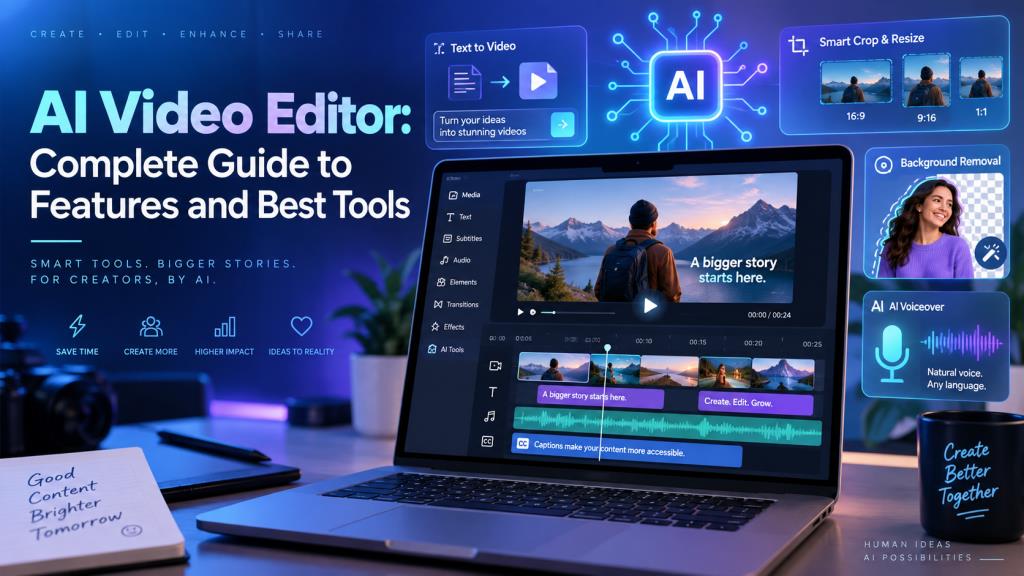
AI Video Editor: Complete Guide to Features and Best Tools
Introduction
Video content has become an important part of YouTube, Instagram, online learning, digital marketing, and business promotion. However, traditional video editing can take a lot of time and often requires technical skills. This is where an AI Video Editor can make the process easier.
AI-powered video editing tools can automatically perform tasks such as trimming clips, adding subtitles, generating voiceovers, removing backgrounds, and even creating videos from text. Whether you are a beginner, student, content creator, or business owner, these tools can help you create videos faster.
In this guide, we will explore how AI video editors work, their key features, benefits, popular tools, and how to choose the right one.
What Is an AI Video Editor?
An AI Video Editor is a video editing tool that uses artificial intelligence to automate or simplify different editing tasks. Instead of manually editing every clip, users can allow AI to complete repetitive work such as cutting unwanted sections, creating captions, adjusting video sizes, or adding effects.
These tools are particularly useful for people who want to create attractive videos without learning complicated professional software. However, AI does not completely replace human creativity. It works best as an assistant that handles time-consuming tasks while the user controls the story, style, and final result.
How Does an AI Video Editor Work?
An AI Video Editor analyzes video, audio, images, and text using artificial intelligence. It may recognize speech, identify subjects, detect important moments, remove silence, or recommend suitable visual elements.
The process is usually simple. You upload your video or enter a text prompt, select your preferred style and format, and allow the AI to prepare a first version. You can then review and customize the video before exporting it.
Key Features of an AI Video Editor
Automatic Video Editing
Automatic editing can detect important scenes, trim unnecessary footage, remove long pauses, and arrange clips. It is especially helpful when converting long recordings into shorter videos.
Text-to-Video Generation
Text-to-video technology lets you enter an idea, description, or complete script and turn it into a video. Depending on the platform, AI may add visuals, narration, captions, music, and stock footage automatically.
AI Subtitles and Captions
Creating subtitles manually can take a long time. An AI Video Editor can recognize spoken words and generate captions automatically.
This feature is useful for social media because many people watch videos without sound. You should still review automatically generated captions for spelling or transcription mistakes.
AI Voiceover
AI voiceover converts written text into spoken narration. Many tools allow users to choose from different voices, languages, and speaking styles.
It can be useful for tutorials, educational videos, product demonstrations, presentations, and videos where you do not want to record your own voice.
Background Removal
AI background removal can separate a person or object from the background without using a traditional green screen.
After removing the original background, creators can replace it with another image, colour, office setting, or branded design.
Automatic Transitions and Effects
Some AI-powered editors can automatically suggest or apply transitions, animations, filters, and visual effects between scenes. These features can make videos look smoother, although too many effects can sometimes make a video distracting.
Smart Video Resizing
YouTube, Instagram Reels, Shorts, and other platforms use different video dimensions. Smart resizing can automatically adjust a video for different platforms while keeping important subjects within the frame.
AI Music and Sound Effects
Some editors can recommend or generate background music and sound effects based on the mood or pace of your content. For commercial videos, always check the music licensing and usage terms before publishing.
Benefits of Using an AI Video Editor
The biggest advantage of an AI Video Editor is time saving. Tasks that may take a long time manually can often be completed much faster with automation.
AI editing can also make video creation easier for beginners, reduce repetitive work, and help creators produce more content. Businesses can quickly create promotional videos, while students can prepare presentations and educational projects without advanced editing knowledge.
Best AI Video Editor Tools
There are several popular AI-powered video editing platforms available today.
CapCut provides automatic editing, auto captions, text-to-speech, templates, and tools designed for creating social media and short-form videos.
Canva combines its visual design platform with video editing tools. Its AI-powered features include Magic Video, automatic captions, video highlights, and background removal.
VEED offers automatic editing, subtitles, text-based editing, background removal, and text-to-video tools. Users can also create videos using prompts and add AI-generated narration and visuals.
Invideo provides prompt-based video creation along with a browser-based timeline editor. Its newer editing tools also allow users to give AI instructions for tasks such as assembling footage, removing pauses, and improving an edit.
The right tool depends on the type of videos you create and the features you need.
How to Use an AI Video Editor
Using an AI Video Editor is generally simple. First, select a platform and create a new project. Upload your existing video, images, and audio, or enter a text prompt if you want to generate a video.
Next, select the desired format and use AI features to create captions, voiceovers, cuts, music, or visual effects. Finally, review the entire video manually. Correct caption errors, remove unnecessary scenes, check the audio, and adjust the timing before exporting.
AI Video Editor for YouTube
YouTube creators can use AI video editing tools to generate subtitles, remove silence, create voiceovers, find highlights, and turn longer videos into short clips.
These features can be useful for tutorials, educational videos, interviews, product reviews, and faceless YouTube channels. AI can make editing faster, but useful content, good storytelling, clear audio, and engaging presentation are still important.
AI Video Editor for Instagram Reels and Shorts
Short-form videos usually need to attract attention quickly. An AI Video Editor can help create fast cuts, generate captions, add music, identify highlights, and resize horizontal videos into vertical formats.
Creators should still check that captions remain readable and important faces or objects are not cropped during automatic resizing.
AI Video Editor for Businesses
Businesses can use AI video editing for advertisements, product demonstrations, customer testimonials, training videos, social media content, and presentations.
AI can reduce production time and make it easier for businesses to create regular video content. However, companies should carefully review AI-generated information, voices, images, and claims before publishing.
AI Video Editor for Students and Beginners
AI-powered editors are useful for beginners because they reduce many technical difficulties associated with traditional video editing.
Students can use them for presentations, assignments, explainers, and educational projects. Beginners can start with templates and automatic editing while gradually learning basic concepts such as cutting, timing, audio, and storytelling.
Free vs Paid AI Video Editor
A free AI Video Editor can be enough for beginners and simple projects. Free plans may include basic editing, captions, templates, or limited AI features.
However, free versions may have restrictions on AI usage, storage, export quality, premium assets, or advanced tools. Paid plans generally provide higher usage limits and additional features. Always check the latest pricing and plan restrictions before subscribing.
How to Choose the Best AI Video Editor
Before selecting a tool, consider what type of video you want to create. Check the editor’s ease of use, export quality, supported formats, watermark policy, caption accuracy, AI limitations, templates, pricing, and availability on your preferred device.
Social media creators may prefer speed and templates, while professional users may need detailed timeline controls, better audio tools, collaboration, and branding features.
Learn More: Free AI Image Editor: Best Tools, Features & Complete Guide
Advantages and Disadvantages of AI Video Editors
AI video editors can save time, automate repetitive work, make editing easier for beginners, and help creators produce content faster.
However, there are also limitations. Automatic edits may sometimes look generic, captions can contain mistakes, and AI-generated visuals may not always match your expectations. Some useful features may also require a paid subscription.
AI Video Editor vs Traditional Video Editing Software
Traditional editing software provides detailed control over video cuts, colour, audio, effects, and complex timelines. It is suitable for highly customized professional projects but can require more experience.
An AI Video Editor focuses more on automation, convenience, and speed. Today, the difference is becoming smaller because many modern editing platforms combine traditional timeline editing with AI-powered assistance.
Future of AI Video Editing
AI video editing is becoming increasingly conversational. Instead of manually searching for individual editing tools, users can increasingly describe what they want the software to do.
For example, a creator may ask AI to shorten a video, remove pauses, add captions, find suitable B-roll, or convert content into a vertical format. Even as AI becomes more advanced, creativity, storytelling, judgment, and understanding the audience will remain important.
Frequently Asked Questions
What is the best AI video editor?
There is no single best AI Video Editor for everyone. Tools such as CapCut, Canva, VEED, and Invideo offer different features. The right option depends on your content, budget, editing experience, and required features.
Can AI edit videos automatically?
Yes. AI can automatically perform tasks such as trimming clips, removing silence, creating captions, adding music, resizing videos, and preparing an initial edit.
Is there a free AI video editor?
Yes. Several platforms provide free video editing or limited free AI features. However, features and usage limits vary between platforms.
Can AI create videos from text?
Yes. Text-to-video AI tools can convert prompts or scripts into videos using visuals, narration, captions, music, and other elements.
Which AI video editor is best for YouTube?
It depends on your workflow. YouTube creators should look for features such as reliable subtitles, audio editing, long-form video support, easy exporting, and tools for converting longer videos into Shorts.
Can beginners use an AI video editor?
Yes. AI video editors are suitable for beginners because they automate many technical tasks. Templates, automatic captions, smart trimming, and AI effects can make the editing process much easier to understand.
Conclusion
An AI Video Editor can make video creation faster, easier, and more accessible. From automatic editing and text-to-video generation to subtitles, voiceovers, background removal, and smart resizing, AI can handle many time-consuming parts of video production.
Content creators, businesses, students, and beginners can all benefit from these tools. However, AI should be treated as an assistant rather than a replacement for creativity.
Choose an AI Video Editor based on your requirements, budget, and level of control, and always review the final video before publishing. Combining AI automation with your own ideas and creativity can help you produce better videos while spending less time on repetitive editing tasks.

One Comment