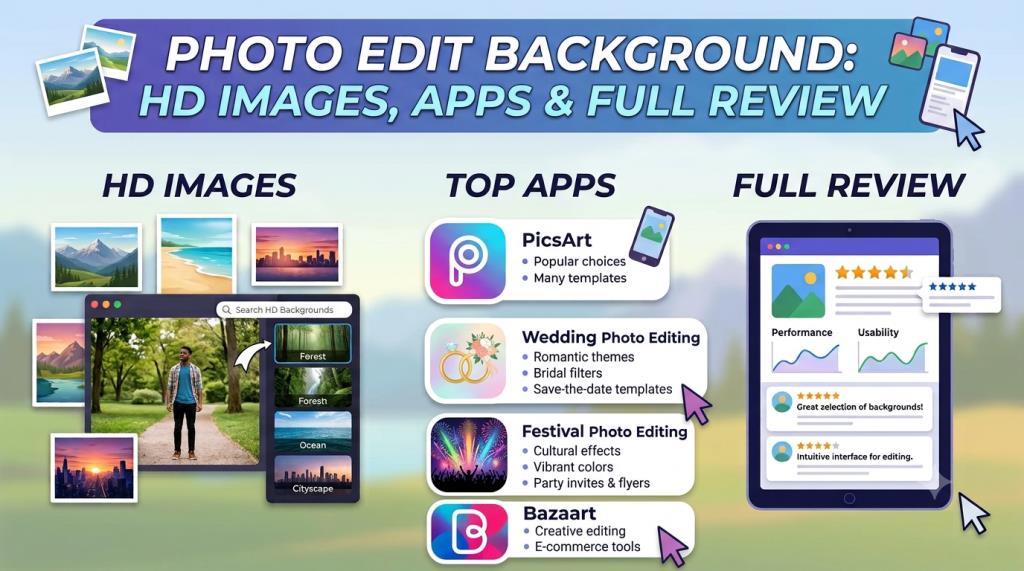
Photo Edit Background: HD Images, Apps and Full Review
Introduction to Photo Edit Background
A good background can completely change the look of a photo. It can make a simple mobile picture look clean, stylish, professional, or cinematic. This is why many people search for the keyword photo edit background before starting an editing project. On editprotipsai.net, readers can learn how to select, download, and use the right background for different types of photos. This guide explains HD backgrounds, 4K images, mobile editing apps, online tools, realistic editing methods, and copyright rules.
Photo background editing is popular among students, content creators, photographers, online sellers, and social media users. It is used for profile photos, birthday posters, wedding pictures, YouTube thumbnails, Instagram posts, festival designs, and product advertisements.
Modern AI tools have made this process easier. A user can now remove an old background with one tap. The person or product can then be placed on another image. However, automatic editing does not always produce perfect results. Hair, shadows, transparent objects, and soft edges may still need manual correction. This article provides both information and an honest review. It will help beginners understand which backgrounds and tools are useful and which problems they should avoid.
What Is a Photo Edit Background?
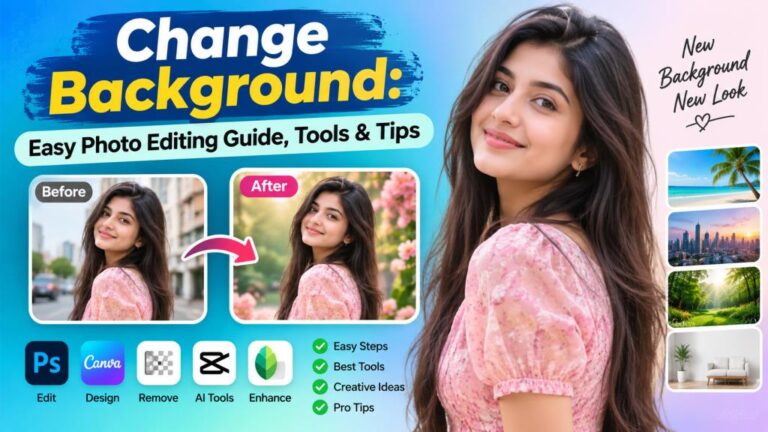
A photo edit background is an image, colour, texture, or digital scene placed behind the main subject of a photo. The subject may be a person, product, animal, vehicle, or object. The original background is usually removed before the new one is added. For example, a person may take a photo inside a normal room. During editing, the room can be replaced with a mountain, studio wall, wedding stage, city street, or colourful design. The final result may look as if the person was photographed in that location.
Some backgrounds are real photographs. Others are digital designs. AI-generated backgrounds are also becoming common. They can create custom scenes from a written instruction. However, AI backgrounds should be checked carefully because small objects, text, hands, buildings, or shadows may sometimes look incorrect.
A background is not only used for decoration. It controls the mood of the image. A dark background can create a dramatic feeling. A bright background may feel happy and energetic. A white background looks clean and is often used for products, documents, and professional profile photos. The best background should support the subject. It should not take all the attention. A strong photo edit background makes the subject easier to notice, not harder to see.
Why Photo Edit Background Is Popular in India
The keyword is popular in India because mobile photo editing has become part of daily digital life. Many users create profile pictures, status images, birthday designs, festival posts, wedding albums, and promotional graphics directly on Android phones.
Indian users often search in simple English phrases. Search terms such as photo edit background, photo editing background HD, CB background, PicsArt background, and wedding background are common examples of this search style. The phrase may not follow perfect English grammar, but its meaning is clear to most users.
Social media has also increased the demand for attractive backgrounds. Creators want photos that stand out on Instagram, Facebook, WhatsApp, and YouTube. Local shops and small businesses use edited images for product posts, offers, and digital advertisements. India also has many cultural events and festivals. Diwali, Holi, Eid, Durga Puja, Independence Day, Republic Day, weddings, birthdays, and religious programmes create regular demand for themed backgrounds.
Another reason is accessibility. Advanced editing once required a computer and professional software. Now, online tools and mobile apps can automatically identify the subject and remove the background. Canva, PicsArt, Adobe Express, and remove.bg all provide automated background-removal options, although access limits and premium features may differ.
Different Types of Photo Editing Backgrounds
There are many types of backgrounds available online. Each type is suitable for a different purpose. Nature backgrounds include mountains, waterfalls, forests, flowers, beaches, clouds, and sunsets. They work well with travel photos, romantic pictures, and outdoor-style portraits.
Studio backgrounds are usually simple. They may use a solid colour, soft gradient, wall texture, light spot, curtain, or abstract shape. These backgrounds are useful for professional portraits, school photos, ID-style images, and product designs. Cinematic backgrounds use dramatic light, smoke, fire, rain, neon colours, dark streets, or action scenes. They are often used for attitude edits and social media profile pictures.
Wedding backgrounds include flower stages, palaces, decorated halls, gardens, traditional patterns, and romantic lighting. Indian festival backgrounds may use lamps, colour powder, flags, religious symbols, lights, and cultural designs. Business backgrounds are cleaner. They may show an office, desk, meeting room, white wall, or modern building. Product backgrounds often use white, grey, soft shadows, marble, wood, or simple gradients. The right choice depends on the photo. A background should match the subject’s pose, clothing, light, camera angle, and purpose.
Best HD and 4K Photo Edit Backgrounds
HD and 4K backgrounds are popular because they contain more visual detail than small images. A Full HD image normally provides enough quality for mobile posts, profile photos, websites, and many digital designs. A 4K image is more useful when the design will be cropped, printed, or shown on a large screen.
A high-resolution background does not automatically guarantee a good edit. The subject must also have enough quality. Placing a blurry person on a sharp 4K background creates an uneven result. The subject and background should have similar sharpness, lighting, and noise.
File size is another factor. A 4K background takes more storage and may slow down an older phone. It may also take longer to upload into an online editor. For a small Instagram post, a large 4K file may not provide a visible advantage.
Photo Edit Background Quality Comparison
| Background type | Typical quality | Best use | Main advantage | Possible problem |
|---|---|---|---|---|
| Standard image | Below Full HD | Small mobile edits | Low file size | May look blurry |
| Full HD background | Around 1920 × 1080 | Social posts and thumbnails | Good balance of quality and size | Limited for large printing |
| 2K background | Higher than Full HD | Posters and detailed portraits | Better cropping space | Larger file |
| 4K background | Around 3840 × 2160 | Large screens and print work | High detail | Needs more storage |
| Transparent PNG | Depends on source | Layers, objects and effects | Keeps transparency | Often has a large file size |
| PSD template | Layer-based | Advanced editing | Elements remain editable | Requires compatible software |
The best choice for most beginners is a clean Full HD image. It is easier to download and edit. A 4K photo edit background is recommended when extra detail is truly needed.
CB Photo Editing Backgrounds for Boys and Girls
CB-style photo editing is known for bold and dramatic visual effects. These edits often use colourful smoke, glowing lights, dark skies, broken walls, roads, bikes, urban scenes, and cinematic colour grading.
Backgrounds for boys often use blue, black, orange, red, or green tones. Common themes include attitude poses, cars, motorcycles, fire, city streets, rain, and action scenes. Backgrounds for girls may include flowers, soft lights, gardens, colourful walls, fantasy scenes, and portrait studio effects.
These are not fixed rules. Any background can be used by any person. The main goal is to match the background with the subject’s clothing, pose, and intended mood. CB-style editing can look attractive, but it is easy to over-edit. Too much smoke, light, blur, or colour can hide the person. The result may also look artificial when every effect is very strong. A balanced design works better. Use one main background, a controlled colour tone, and a few supporting effects. The subject should remain the strongest part of the image.
PicsArt Photo Edit Background Review
PicsArt is widely used for creative mobile photo editing. Its tools can remove a background, change colours, add text, apply filters, place stickers, and combine several images. The official PicsArt background changer allows users to upload a custom image or select a design from its background library. Its AI background tools can also create a new scene for a subject.
PicsArt is useful for beginners because many controls are visual. Users can move, resize, rotate, and blend images with touch gestures. It is suitable for profile pictures, social posts, posters, thumbnails, birthday edits, and creative photo manipulation. The strongest part of PicsArt is its wide range of creative features. A user can complete most of an edit inside one app. The main weakness is that some tools, effects, assets, or export options may require a paid plan. The interface may also feel crowded to a completely new user.
Automatic cutting is normally fast, but manual correction may still be needed around hair, fingers, clothing, and complex edges. High-resolution claims should also be tested with the user’s own image because the final quality depends on the source photo and export settings. Overall, PicsArt is a good choice for creative mobile users. It offers more than simple background removal, but beginners should avoid adding too many effects at once.
Wedding and Festival Photo Editing Backgrounds
Wedding backgrounds are designed to create a romantic and premium feeling. Popular choices include flower stages, decorated gates, palaces, gardens, curtains, chandeliers, warm lights, and traditional patterns. The colour of the background should match the clothes. Red and gold designs work well with many traditional wedding outfits. Soft pink, cream, white, and green backgrounds can create a lighter look. Dark blue or black may work for reception photos with strong lighting.
Festival backgrounds should represent the event clearly. Diwali designs often use lamps, gold light, fireworks, and rangoli patterns. Holi backgrounds use bright colour powder. Independence Day and Republic Day designs may use the colours of the Indian flag. Eid backgrounds often include mosques, lanterns, stars, and elegant Islamic patterns.
Editors should use cultural and religious symbols respectfully. Symbols should not be stretched, covered, or placed carelessly. Text should also be checked for spelling. Wedding and festival backgrounds can become visually busy. The subject may disappear among flowers, lights, and decorations. A small amount of blur behind the person can improve focus. A soft shadow can also help the subject connect with the scene.
Read More: Retro Style Photo Edit: Complete Guide and Honest Review
Nature and Studio Photo Edit Backgrounds
Nature backgrounds are flexible and easy to use. Mountains, gardens, beaches, forests, roads, waterfalls, and sunsets can support many portrait styles. The most important issue is light direction. A subject photographed in strong indoor light may not match a soft sunset scene. The face may look too bright or too cool. Colour, brightness, and contrast should be adjusted until the subject feels connected to the background. Studio backgrounds are usually easier for beginners. They have fewer objects and simpler lighting. A plain grey, blue, cream, or white background can create a professional result without much effort.
Gradient backgrounds are also useful. They add colour without creating distraction. A light centre and darker edge can guide attention toward the face. For product editing, a white or soft grey studio background is often the safest choice. For fashion portraits, textured walls and soft spotlights can add depth. For formal profile photos, simple backgrounds usually look more trustworthy than fantasy scenes. Nature backgrounds create atmosphere, while studio backgrounds create control. The best option depends on the goal of the photo.
Best Websites to Download Photo Edit Backgrounds
Pexels and Unsplash are useful sources for high-quality photographs. They contain nature, city, office, travel, texture, and lifestyle images. These photos can be used as editing backgrounds when their licence conditions are followed.
Pexels says its photos and videos are free to use and attribution is not required, although credit is appreciated. Unsplash also allows broad free use for commercial and non-commercial projects, but it does not allow users to sell unmodified images or build a competing image service from its collection.
Pixabay is another known source for photographs, illustrations, and other media. However, users should always open the current licence page before publishing an image. Licence terms and individual content restrictions may change. Google Images should be used for discovery, not as automatic permission to download and republish. An image appearing in search results does not mean it is free from copyright.
A good download website should provide clear image dimensions, licence information, original download buttons, and secure file formats. Avoid pages that open many pop-ups or force users to download unknown applications. Before using a background commercially, save a copy or screenshot of the licence conditions. This can help if the permission terms are questioned later.
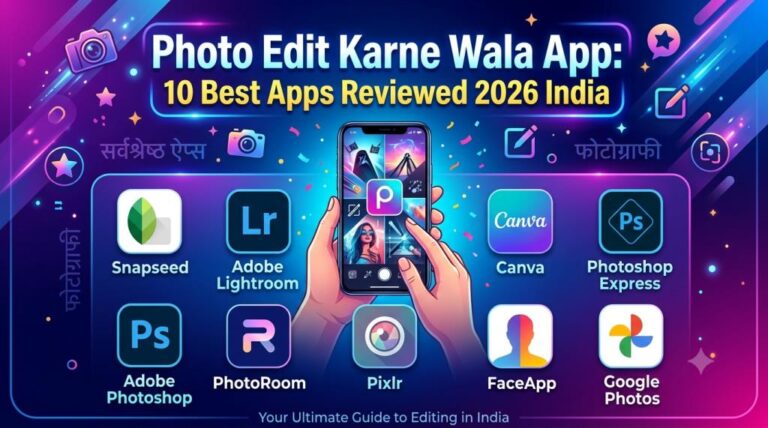
Best Photo Background Editing Apps
Different apps are suitable for different users. PicsArt is strong for creative effects, social media designs, and layered edits. Canva is useful for posters, thumbnails, presentations, and quick branded content. Its background tools can remove an old scene and support generated or uploaded replacement backgrounds.
Adobe Express is simple and clean. Its official tool accepts JPG, PNG, and WebP files and exports a transparent PNG after background removal. It is useful for profile photos, products, presentations, and basic social graphics. Remove.bg focuses mainly on automatic background removal. It is fast and easy for simple cutouts. The subject can be kept on a transparent background or placed on another colour or image.
Snapseed is useful for colour correction, brightness, contrast, selective adjustments, and final polishing. However, it is not mainly designed as a one-tap background replacement app. No single application is perfect for every task. Remove.bg is suitable for fast removal. Canva is good for complete designs. PicsArt is strong for creative mobile edits. Adobe Express provides a simple workflow for clean results. Users should check current free limits, watermarks, export resolution, privacy terms, and subscription rules before choosing an app. These conditions may change over time.
How to Change a Photo Background Step by Step
A realistic background edit requires more than placing one image over another. Follow these steps:
- Choose a clear subject photo. Use an image with good light and visible edges. Avoid heavy blur and very low resolution.
- Select a matching background. Check the light direction, camera angle, colours, and scene depth.
- Remove the original background. Use an AI remover or a manual selection tool.
- Refine the edges. Zoom in around hair, fingers, ears, clothing, and transparent objects.
- Place the subject on the new background. Adjust the size so the person or object looks natural in the scene.
- Match brightness and colour. Change exposure, warmth, contrast, and saturation when needed.
- Add a realistic shadow. The shadow should follow the direction and softness of the background light.
- Apply depth and blur carefully. A slight background blur can make the subject stand out.
- Check the full image. Look for rough edges, floating feet, incorrect scale, or mismatched colours.
- Export at high quality. Select the correct dimensions and file format for the final platform.
A transparent PNG is useful when the subject will be used in another design. A JPG is suitable for a completed image without transparency.
Tips to Make an Edited Background Look Realistic
Realistic editing depends on consistency. The subject and background should appear to exist in the same place. First, check the light. When the background light comes from the left, the subject should not have a strong shadow pointing in the opposite direction. Match both light direction and light strength.
Next, compare colour temperature. A sunset scene is usually warm. A subject with cool blue indoor lighting may look separate from that scene. Adding a small warm colour adjustment can create a better match. Perspective is also important. A photo taken from eye level should not be placed on a background photographed from a very high or low angle. The horizon and camera position should make sense.
Pay attention to the feet. A person standing on a road or floor needs a contact shadow. Without it, the person may appear to float. The shadow should be darkest near the feet and softer farther away. Sharpness should be similar. A very sharp subject on a heavily compressed background will look pasted. A little blur or grain can sometimes connect the layers. Avoid cutting away small details. Hair, scarves, jewellery, and fingers often need careful manual work. Automatic AI removal is a starting point, not always the final result.
Copyright, Safety and Common Editing Mistakes
Copyright is one of the most important parts of background editing. Do not assume that every image on the internet is free. The photographer, designer, company, or platform may own the image. Use trusted stock websites and read their current licence rules. Even when commercial use is allowed, there may be limits involving trademarks, identifiable people, sensitive subjects, or selling an unchanged image.
Do not download executable files, unknown mobile packages, or suspicious ZIP folders just to get a JPG background. A normal photo background is usually provided as JPG, PNG, WebP, PSD, or another recognised design format. Privacy also matters. Online background removers require users to upload photos to a server. Avoid uploading confidential documents, private family pictures, company files, or sensitive personal images without checking the service’s privacy policy.
Common editing mistakes include rough hair edges, wrong body size, missing shadows, poor colour matching, excessive blur, low-resolution backgrounds, and too many visual effects. Another mistake is keyword stuffing when publishing a background article. Google recommends creating helpful content for people instead of producing pages mainly to manipulate rankings. The keyword photo edit background should appear naturally, but every paragraph does not need to repeat it.
Photo Edit Background Review and Final Verdict
Photo background editing is now easier than ever. Beginners can remove a background automatically, add an HD scene, adjust colours, and export a finished image from a phone.
The biggest advantage is convenience. A user does not need an expensive camera studio or advanced desktop software for every project. Free stock websites and simple editing tools provide enough resources for profile photos, posters, thumbnails, wedding edits, and social media content.
However, one-click tools have limits. They may make mistakes around hair, glass, smoke, jewellery, fingers, and detailed clothing. A good editor should inspect the cutout and make manual corrections.
Among the reviewed tools, remove.bg is best for fast background removal. Canva is strong for complete designs and templates. PicsArt is suitable for creative mobile editing. Adobe Express provides a simple and clean workflow. The final choice depends on the user’s device, budget, skill level, and intended output.
For downloads, Pexels and Unsplash are useful starting points because they provide clear licensing information. Random image websites may offer attractive files, but safety, copyright, and image quality can be uncertain.
The best photo edit background is not always the most colourful or detailed one. It is the background that matches the subject, purpose, light, and mood. Beginners should start with clean Full HD images and simple edits. They can move to advanced cinematic effects after learning edge correction, colour matching, shadows, and perspective.
Overall, photo background editing is highly useful for both personal and professional content. Choose a licensed image, keep the design balanced, export in good quality, and focus on a natural final result.