Photo Edit Karne Wala App: 10 Best Apps Reviewed 2026 India
Photo Edit Karne Wala App: Complete Introduction
A good photo can become much better with a few simple changes. You can fix the lighting, improve colors, remove unwanted objects, change the background, or create an attractive social media post. You no longer need an expensive computer for most everyday photo edits. A modern smartphone and the right photo edit karne wala app can complete the work.
This guide has been prepared for readers of editprotipsai.net who want a clear and honest review of the best mobile photo editors. It focuses on apps that are useful for Indian Android and iPhone users. It also explains free features, AI tools, face editing, professional controls, watermark rules, and privacy concerns.
There is no single photo editing app that is perfect for everyone. Snapseed is strong for free manual editing. Adobe Lightroom is better for serious color correction. Picsart and Canva are useful for creative designs. PhotoRoom is excellent for background removal. FaceApp is designed mainly for portrait editing. The best choice depends on the type of photo you want to edit. You should also consider your phone’s performance, internet connection, editing skill, and budget.
What Is a Photo Edit Karne Wala App?
The phrase photo edit karne wala app means an application used to edit photos. It is a common Hindi or Hinglish search term. People normally use this keyword when they want an easy mobile app for improving pictures. A photo editing app can perform basic jobs such as cropping, rotating, resizing, brightening, and sharpening. Better apps also provide curves, selective color adjustment, masking, healing, RAW editing, and background blur.
Modern apps now include artificial intelligence. AI tools can automatically find the main subject, remove objects, replace a background, repair an old image, improve image quality, or create a new part of a picture.
Some apps are made for fast one-tap results. Other apps provide detailed manual controls. A beginner may prefer automatic filters. A photographer may want exposure, white balance, curves, and individual color settings. A seller may need a clean white background for product photos. A YouTube creator may need text, graphics, and thumbnail templates. Therefore, the purpose of the app is more important than the total number of features.
Why Photo Editing Apps Are Popular in India
Mobile photos are used for many personal and professional needs. People regularly post pictures on Instagram, Facebook, WhatsApp, and other platforms. Students create project covers. Small businesses prepare product images. YouTube creators make thumbnails. Online sellers need clean photographs for their product listings.
Families also want to improve wedding, travel, festival, birthday, and holiday pictures. A photo edit karne wala app makes these tasks faster and easier. Most users do not want to learn complicated desktop software. They want simple buttons, ready-made filters, quick background removal, and direct social media sharing. Mobile apps make these features available without requiring professional editing knowledge.
Many Android users also look for free apps because they do not want a monthly subscription. They may search for terms such as “background photo edit karne wala app,” “face photo edit karne wala app,” or “photo edit karne wala app without watermark.” These searches show different user needs. A useful app should solve the required problem without making the user pay for tools they will never use.
Best Photo Edit Karne Wala Apps at a Glance
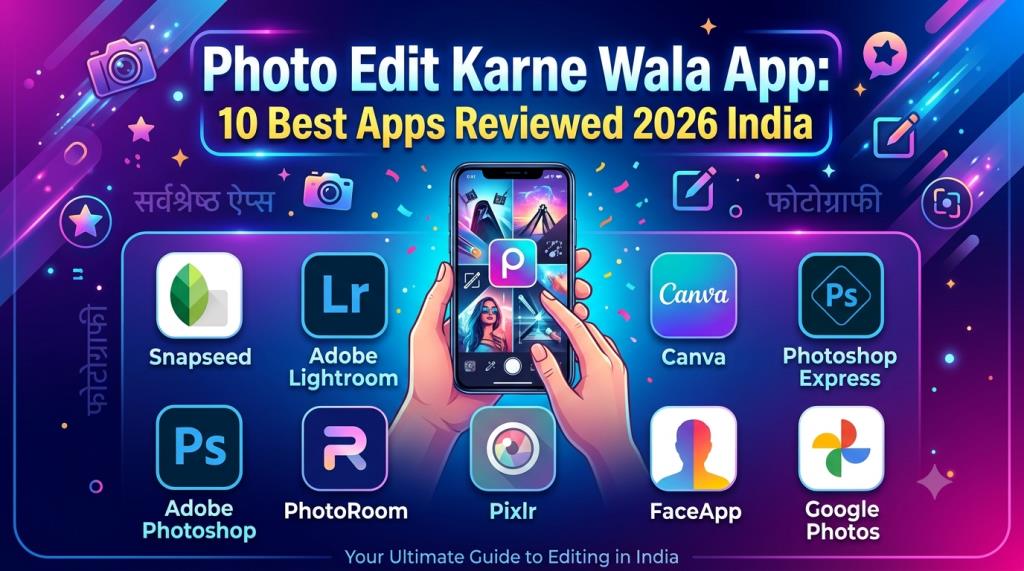
The best choices in 2026 include Snapseed, Adobe Lightroom, Picsart, Canva, Photoshop Express, Adobe Photoshop, PhotoRoom, Pixlr, FaceApp, and Google Photos. Each app has a different strength.
Snapseed offers more than 30 tools and filters without a subscription, advertisements, in-app purchases, or watermarks. Its current features include smart masking, batch editing, non-destructive editing, RAW support, curves, HSL controls, healing, and film effects. This makes it one of the strongest completely free options.
Lightroom provides most basic editing tools for free. Premium access adds masking, healing, geometry tools, batch editing, RAW editing, cloud storage, and syncing between devices. It is a better choice when professional color quality and long-term photo organization are important.
Picsart combines standard editing with AI features. It supports color correction, object removal, image restoration, background replacement, generated backgrounds, and creative effects. Canva is more suitable for people who want to turn edited photographs into posters, thumbnails, advertisements, or social media posts. Canva’s Magic Edit, Magic Eraser, and Background Remover are mainly premium features.
2026 Photo Editing App Comparison Table
| App | Best for | Free option | Main strengths | Important limit |
|---|---|---|---|---|
| Snapseed | Free all-round editing | Yes | RAW editing, curves, masking, healing and batch edits | The interface may need practice |
| Adobe Lightroom | Professional color editing | Yes | Presets, color control, RAW workflow and masking | Many advanced tools require Premium |
| Picsart | Creative and social edits | Yes | AI effects, collages, object removal and backgrounds | Ads, AI credits or paid tools may apply |
| Canva | Thumbnails, posters and social posts | Yes | Templates, text, layouts and easy design tools | Pro assets and major AI tools cost extra |
| Photoshop Express | Quick edits and selfies | Yes | Filters, collages, retouching, text and object removal | Precise controls may require Premium |
| Adobe Photoshop | Layer-based mobile editing | Yes | Combine photos, graphics, selections and effects | Some advanced features require a plan |
| PhotoRoom | Product photos and backgrounds | Yes | Fast cutouts, white backgrounds and templates | Advanced business features are limited |
| Pixlr | Browser and quick AI editing | Yes | Background removal, generative fill and easy tools | Some AI tools use credits |
| FaceApp | Face and portrait editing | Yes | Natural face filters, retouching and reshaping | Many popular effects require Pro |
| Google Photos | Simple automatic improvement | Yes | Easy enhancement, storage, search and AI tools | Features can vary by device or plan |
Free plans and prices can change by country. Always check the latest app listing before paying for a subscription.
Canva Free includes basic design tools. Premium content and stronger AI features are part of paid plans. Canva explains that Pro content may display a watermark for free users until the content is licensed or the user upgrades.
Best Free Photo Edit Karne Wala App
Snapseed is the best free photo edit karne wala app for most users. It gives beginners simple automatic tools while providing advanced users with detailed manual controls.
You can change exposure, white balance, contrast, shadows, highlights, curves, and individual colors. You can also edit selected parts of a picture without changing the entire image.
The latest Snapseed listing describes smart subject and background masking, batch editing, non-destructive changes, film simulations, RAW support, portrait tools, healing, double exposure, lens blur, and perspective correction. The listing also clearly states that the app has no subscriptions, purchases, advertisements, or watermarks.
Snapseed is especially useful for people who want clean and professional edits without making monthly payments. It is suitable for travel photographs, food images, portraits, nature shots, and simple product photos.
Its main weakness is that some advanced tools take time to understand. The newer interface may also feel unfamiliar to people who have used the old version for several years.
Google Photos is another useful free choice for very simple editing. It can store, organize, search, and improve pictures with the help of Google AI. Every Google account also includes shared cloud storage, although the storage is used by Gmail, Google Drive, and other Google services.
Best AI Photo Edit Karne Wala App
AI editing is useful when you need a fast result. It can detect the subject, remove an object, replace a background, improve lighting, or suggest a complete edit.
However, AI does not always produce a perfect result. Hair, fingers, text, jewellery, transparent items, and complex edges can still appear incorrect. You should always zoom in and inspect the image before saving it.
Picsart is one of the best AI photo edit karne wala app choices for creative users. Its AI editor supports background replacement, object removal, image restoration, color correction, image generation, and special effects. It is easy to use and offers many styles for social media content. Some tools may require AI credits or a paid plan.
Adobe Lightroom is better for realistic AI-assisted editing. Its mobile tools include AI masking, Generative Remove, Lens Blur, Adaptive Profiles, and Quick Actions. Quick Actions can target different areas, including the subject, background, and sky.
These features are useful when you want a polished and natural photograph instead of a heavily designed image.
Canva is another good AI option for creators who need both editing and graphic design. It can edit photographs through written instructions. It offers tools such as Magic Edit, Magic Eraser, Background Remover, image enhancement, and generative fill. Many of these advanced tools are included in Canva Pro.
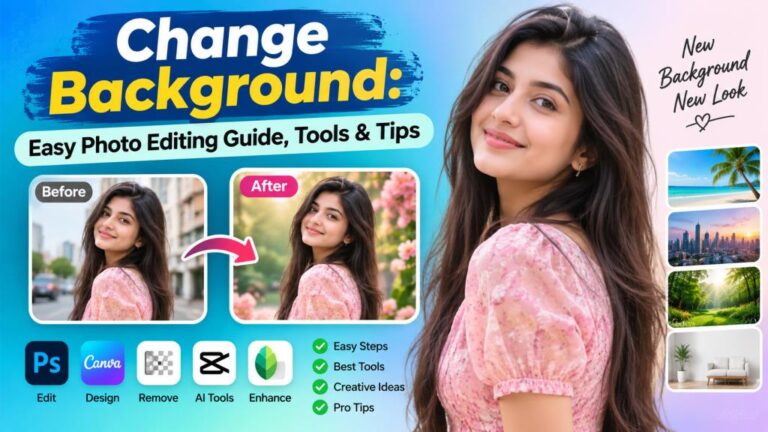
Best Background Photo Edit Karne Wala App
PhotoRoom is the best background photo edit karne wala app for product images and fast cutouts. It can automatically remove a background and place the subject on a white, colored, transparent, stock, or generated background.
It is useful for online shops, profile pictures, passport-style layouts, advertisements, and product catalogues. The app is especially helpful for sellers who need to process many product images with a similar style.
PhotoRoom states that its Android Background Remover is a free utility and does not require AI credits. After removing the background, users can select templates and add text, graphics, shadows, or another background before exporting the design.
Picsart is more suitable when you want a creative or unusual background. It can remove the original background and generate a new scene from a written instruction.
Pixlr also provides an AI background remover and AI backdrop tool through its mobile and browser-based editors. It can refine the edges and add a solid color, uploaded picture, stock image, or AI-generated scene.
For the best result, use a clear photograph with good lighting. The subject should not have the same color as the background.
Check the areas around the hair, ears, jewellery, fingers, and clothing. AI cutouts often require a small amount of manual correction around difficult edges.
Read More: Photo Edit Background: HD Images, Apps and Full Review
Best Face Photo Edit Karne Wala App
FaceApp is the strongest face photo edit karne wala app for one-tap portrait changes. It is mainly designed for realistic face edits.
It offers retouching, object removal, reshaping tools, fine adjustments, hair changes, makeup effects, facial-hair styles, skin cleanup, and many portrait filters.
FaceApp is simple to use. You select a photograph and choose the effect you want. The app automatically detects the face and applies the change. This is useful for people who do not want to adjust many manual settings.
Photoshop Express is another strong choice for face editing. It includes selfie retouching, red-eye correction, healing, clone tools, blemish removal, makeup effects, filters, background replacement, object removal, and collage features.
Adobe provides a free version of Photoshop Express. Premium access provides more effects and precise editing controls.
Face editing should remain natural. Too much skin smoothing removes real skin texture. Strong reshaping can make the person look completely different.
Begin with a low effect level. Compare the edited photograph with the original. The best portrait edit improves the lighting, color, and small distractions without making the face look artificial.
Best Professional Photo Editing App
Adobe Lightroom is the best professional photo editing app on mobile for most photographers and serious content creators. It provides strong control over light, color, tone, detail, geometry, and selected parts of a photograph.
Lightroom also supports presets. A preset lets you apply a saved editing style to another picture. This is useful when you want several photographs to have the same color and mood.
The free version is enough for basic editing. Premium access becomes useful when you need masking, healing, RAW editing, batch processing, cloud backup, and syncing between devices.
Adobe states that users retain ownership of their photographs. It also explains that free editing remains available after cancelling a subscription, but premium tools and device syncing will no longer be available.
Snapseed is the better professional-style option for people who do not want a subscription. It includes RAW editing, curves, HSL color control, masking, selective changes, and non-destructive editing.
Snapseed is excellent for editing one photograph at a time. Lightroom is better for large photo collections, repeated editing workflows, and creating a matching style across many images.
Photoshop on mobile is another advanced choice. It is useful for combining multiple photos, graphics, and design elements. Adobe now provides its mobile Photoshop editor for iPhone and Android, with free tools and optional paid features.
Best Photo Editing App Without Watermark
A visible watermark can make an image look unprofessional. It is especially unsuitable for business pictures, portfolio work, product listings, and social media advertisements.
This is why many users search for a photo edit karne wala app without watermark.
Snapseed is the clearest choice. Google’s official listing states that Snapseed has no watermark, advertisements, subscriptions, or in-app purchases.
Basic exports from several other editing apps may also be clean. However, premium templates, paid stock items, special effects, or high-resolution exports may be restricted.
Canva needs special attention. Free users can create designs using free content. However, Canva explains that Pro content can show a watermark until the user purchases a license or subscribes to a paid plan.
Before starting a long editing project, create a small test image and export it. Check whether the exported file includes a logo, reduced resolution, heavy compression, or a payment requirement.
This simple test can save a lot of time. Never download a cracked or modified APK to remove a watermark. Unofficial apps may contain harmful software, display unwanted advertisements, or steal account information.
Top Features to Look for in a Photo Editing App
A good photo edit karne wala app should match your actual needs. Do not choose an app only because it contains hundreds of filters. Look for tools that you will use regularly.
- Basic editing controls: Look for crop, rotate, resize, exposure, contrast, highlights, shadows, warmth, saturation, and sharpness.
- Selective editing: The app should allow you to adjust the face, subject, sky, or background separately.
- Healing and object removal: These tools help remove spots, wires, people, dust, and unwanted items.
- Background features: Look for automatic removal, transparent PNG export, manual edge correction, and background replacement.
- Portrait controls: Skin cleanup, red-eye correction, face lighting, and natural retouching are more useful than extreme filters.
- RAW support: This is important for photographers who edit files from professional cameras.
- Undo and non-destructive editing: You should be able to remove an edit or return to the original picture.
- Export quality: Check the resolution, compression, file format, and watermark rules.
- Offline support: Offline editing saves mobile data and works when the internet connection is weak.
- Privacy settings: Check what information the app collects and whether your photographs are processed online.
The app should also run smoothly on your phone. A powerful editor is not useful if it crashes, overheats the device, or uses too much storage.
Free vs Paid Photo Editing Apps
Free photo editing apps are enough for many users. Snapseed provides advanced editing tools without any payment. Google Photos handles simple improvements. The free versions of Lightroom, Canva, Picsart, Photoshop Express, Pixlr, FaceApp, and PhotoRoom also allow users to test useful features.
Paid plans normally provide more AI credits, premium filters, cloud storage, batch processing, high-quality export options, stock content, advanced masks, and business tools. A subscription may be valuable for a photographer, designer, influencer, social media manager, or online seller who edits pictures every day. However, you should not pay only to access more filters. Pay when a feature saves time, improves quality, or helps you earn money.
For example, a shop owner may benefit from PhotoRoom’s product photo tools. A photographer may need Lightroom’s RAW editing and syncing features. A social media manager may save time with Canva Pro templates and background removal. Prices and free limits can change. Subscription charges may also differ by location. Check both monthly and yearly prices before paying. You should also check whether the subscription renews automatically. Cancel a free trial before the renewal date when you do not plan to continue using the paid service.
How to Edit Photos Using a Mobile App
The editing process should remain simple. The following method works with Snapseed, Lightroom, Picsart, Photoshop Express, and most other photo editing apps.
- Choose a clear original photograph. Start with the highest-quality file available. Avoid using a screenshot when you have the original image.
- Crop and straighten the picture. Correct the frame, horizon, and unwanted empty areas before applying other edits.
- Correct the lighting. Adjust exposure, highlights, shadows, and contrast. Do not make bright areas completely white.
- Improve the colors. Change warmth, tint, and saturation slowly. Keep skin, sky, food, and natural objects believable.
- Improve small details. Add a limited amount of sharpness or clarity. Too much sharpness creates rough edges and visible noise.
- Remove distractions. Use healing or object removal to delete small unwanted items.
- Apply selective adjustments. Improve the face, subject, sky, or background without changing the whole image.
- Use filters carefully. Reduce the filter strength when the result looks unnatural.
- Compare before and after. Make sure the final picture is actually better than the original.
- Export in high quality. Save the edited image as a new copy and keep the original file.
A good edit does not need every available tool. Small changes often look more professional than strong filters and extreme effects.
Are Photo Editing Apps Safe to Use
Most well-known photo editing apps are reasonably safe when downloaded from official app stores. However, no application should receive more access than it requires. Photo editing apps may request access to your pictures, camera, storage, or cloud account. AI features may upload the selected image to an online server for processing.
Before installing a photo edit karne wala app, check its Google Play Data Safety section or Apple App Store privacy information. Google says that the Data Safety section explains how an application may collect, share, and protect user data. Apple also provides privacy details on App Store product pages.
Avoid uploading passport scans, bank documents, private office files, confidential photographs, or children’s pictures to an unknown AI editor. Use an offline editor for sensitive images when possible. Remove unnecessary permissions after completing your work. Delete old projects from cloud-based applications when you no longer need them. You should also avoid unofficial APK websites, modified apps, and cracked premium versions. Install updates from the official store because updates may correct errors and security problems. Use a strong password when an account is required. Turn on two-step verification when the editing service supports it.
Final Verdict: Which Photo Edit Karne Wala App Is Best?
The best application depends on the type of editing you need. Snapseed is the best free choice for most users. It provides professional controls, RAW support, smart masking, batch editing, and watermark-free exports without a subscription.
Adobe Lightroom is the best option for professional color correction and connected editing. Picsart is best for creative AI effects. Canva is best for thumbnails, posters, advertisements, and social media designs.
PhotoRoom is best for background removal and product photography. FaceApp is best for portrait changes. Photoshop Express is best for fast retouching, filters, text, and collages. Pixlr is useful for people who want a browser-based editor. Google Photos is suitable for basic automatic improvement.
Beginners can start with Snapseed or Google Photos. Instagram users and creative content makers can try Picsart or Canva. Photographers should learn Adobe Lightroom. Online sellers can use PhotoRoom. FaceApp should be used carefully to keep portrait edits natural.
A photo edit karne wala app should save time and improve a picture without reducing its quality. Test the free version before subscribing. Check the export and watermark rules. Read the privacy information. Choose an app that matches your phone, editing skill, budget, and regular work.
Overall, Snapseed is our top recommendation for free editing, while Adobe Lightroom is our top recommendation for professional users. These two apps can cover almost every normal photo editing need in 2026.