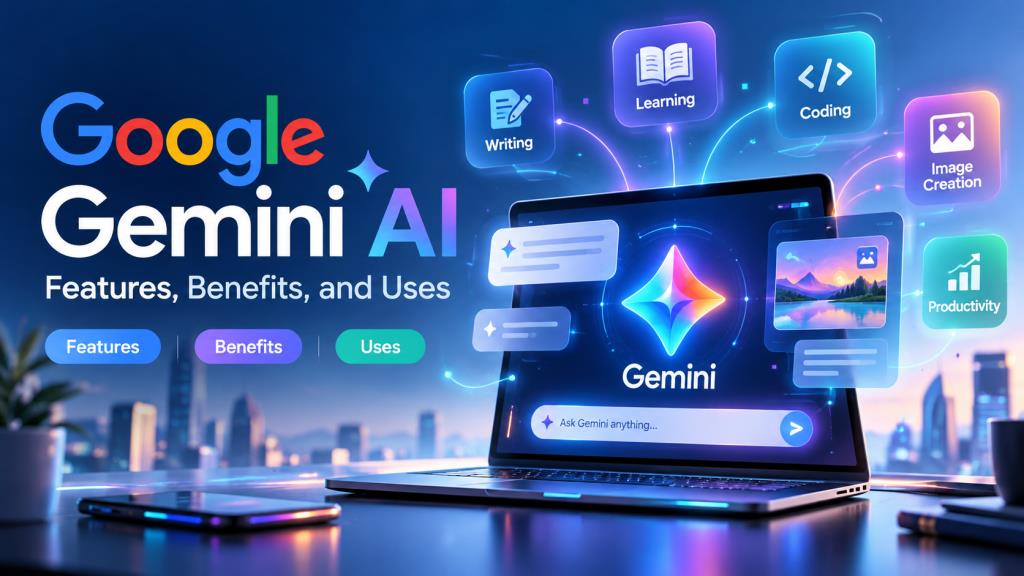
Google Gemini AI: Features, Benefits, and Uses
Introduction to Google Gemini AI
Artificial intelligence is changing the way people work, study, and communicate. From writing emails to solving difficult questions, AI tools make everyday tasks easier. One popular tool gaining attention is Google Gemini AI, developed by Google.
Whether you are a student, blogger, business owner, or working professional, Google Gemini AI can help you complete various tasks quickly. It can answer questions, generate content, create images, explain complicated topics, and assist with coding.
In India, where millions of people use smartphones and digital services daily, AI assistants are becoming increasingly useful. This article explores Google Gemini AI, its features, benefits, practical uses, pricing, and how beginners can get started.
What Is Google Gemini AI?
Google Gemini AI is an artificial intelligence assistant powered by Google’s Gemini family of AI models. It understands natural language and generates responses based on user instructions. Unlike traditional search engines that mainly display website links, Gemini can provide conversational answers, explain information, and help users complete specific tasks.
For example, you can ask Gemini to write a professional email, summarize a document, explain a mathematics problem, or suggest business ideas. Gemini can also work with different types of information, including text, images, and supported files. This makes it useful for students, professionals, and content creators.
How Does Google Gemini AI Work?
Google Gemini AI uses advanced machine learning and large language models to understand questions and generate answers. These models are trained on large amounts of information, allowing them to recognize language patterns, understand context, and create relevant responses.
The process is simple:
- Enter a prompt: Type a question or instruction into Gemini.
- AI processes your request: Gemini analyzes your words and identifies the task.
- Response generation: The AI produces an answer based on learned patterns and available tools.
- Follow-up conversation: You can ask additional questions or request improvements.
For example, if you type, “Explain digital marketing in simple Hindi,” Gemini can generate an easy-to-understand explanation. However, AI-generated answers may contain mistakes, so important information should always be verified.
Key Features of Google Gemini AI
Google Gemini AI offers several useful features that make it more than a basic chatbot.
AI-Powered Conversations
Gemini can answer questions, explain topics, brainstorm ideas, and maintain conversations. Users can ask follow-up questions without repeating every detail.
Content Writing Assistance
Bloggers and professionals can use Gemini to draft articles, emails, product descriptions, social media captions, and marketing content. It can also suggest improvements to grammar and readability.
AI Image Generation
Gemini supports image generation and editing through available AI tools. Users can describe an image they want, such as a futuristic Indian city or a creative festival poster.
Image features and usage limits depend on the model and subscription.
Coding Assistance
Developers can ask Gemini to explain programming concepts, generate example code, identify errors, and suggest possible solutions.
Gemini Live
Gemini Live enables natural voice conversations. Instead of typing every question, users can speak with the assistant, making it convenient for brainstorming and learning.
Google App Integration
With supported connections and permissions, Gemini can assist with information from services such as Gmail, Google Drive, and other Google applications.
The availability of individual features depends on the device, region, account, and subscription.
Benefits of Using Google Gemini AI
One major benefit of Google Gemini AI is its ability to reduce time spent on repetitive tasks.
Improved productivity: Gemini can help prepare summaries, organize ideas, and draft messages. This allows users to concentrate on more important responsibilities.
Better learning support: Students can request simple explanations, practice questions, and study schedules.
Creative assistance: Writers, designers, and marketers can brainstorm fresh ideas when they feel stuck.
Language support: Gemini supports Hindi and several Indian languages, making AI assistance accessible to a wider audience.
Convenience: Users can access Gemini through supported smartphones and web browsers, making it helpful at home, college, or work.
How to Use Google Gemini AI: Step-by-Step Guide
Getting started with Google Gemini AI is straightforward, even if you have never used an AI chatbot.
How to Access Google Gemini AI
Open your preferred browser and visit the official website at https://gemini.google.com. You can also install the official Gemini application on a supported smartphone. A stable internet connection is generally required to access Gemini’s online services.
How to Sign In and Start a Conversation
Follow these steps:
- Open the Gemini website or mobile application.
- Sign in with your Google account.
- Review any instructions or permissions displayed.
- Find the chat input area.
- Type your question and submit it.
Gemini will generate a response. You can continue the conversation or begin a new topic. Some features may have age, account, or location requirements.
How to Write Effective Gemini AI Prompts
A prompt is the instruction you give an AI assistant. Clear prompts usually produce more useful answers. Instead of writing “Give business ideas,” try: “Suggest five low-investment online business ideas for college students in India, including estimated startup costs in Indian rupees.”
Include your purpose, audience, preferred language, and desired response format whenever possible.
Top Uses of Google Gemini AI in Daily Life
Google Gemini AI can support many everyday activities.
For students: Explain science concepts, create revision notes, generate quizzes, and develop study plans for school or competitive examinations.
For bloggers: Suggest article topics, prepare outlines, improve paragraphs, and create engaging introductions.
For businesses: Draft customer emails, brainstorm promotional campaigns, and write product descriptions.
For programmers: Explain coding errors, create sample functions, and simplify technical documentation.
For everyday tasks: Plan travel itineraries, organize schedules, suggest recipes, and prepare shopping lists.
For instance, someone planning a budget trip from Delhi to Jaipur could ask Gemini to create a two-day itinerary with estimated expenses. Travel prices, timings, and availability should still be checked through reliable sources.
Is Google Gemini AI Free to Use in India?
Yes, Google Gemini AI is available for free in India, with certain usage limits. Users can access the free version for everyday activities such as asking questions, generating text, brainstorming, and using supported AI features.
However, free access does not mean every feature is unlimited. Google applies usage restrictions depending on the model, task complexity, and available resources. Users requiring higher limits or additional advanced capabilities can consider a paid Google AI subscription.
For most beginners, the free version is a practical starting point.
Google Gemini AI Free vs Paid Plans
Google provides free Gemini access alongside paid Google AI subscription options, including plans such as Google AI Plus, Pro, and Ultra where available.
| Feature | Free Version | Paid Plans |
|---|---|---|
| AI conversations | Available with limits | Higher limits |
| Writing assistance | Available | Available |
| Image generation | Limited access | Expanded access |
| Advanced AI models | Restricted access | Broader access |
| Additional AI tools | Limited availability | More features, depending on plan |
| Subscription cost | Free | Monthly charges |
Paid subscriptions may offer enhanced AI capabilities, additional storage, and access to selected Google services.
Since pricing and promotional offers change, Indian users should check the official Google AI subscription page for current prices in rupees before purchasing.
How to Use Google Gemini AI on Android and iPhone
Google Gemini AI is available on supported Android and iPhone devices.
For Android users:
- Open the Google Play Store.
- Search for Google Gemini.
- Install the official application from Google.
- Sign in with your Google account.
- Start chatting or using supported voice features.
For iPhone users:
- Open the Apple App Store.
- Search for Google Gemini.
- Download the official application.
- Sign in and begin using Gemini.
You can also access Gemini through a mobile browser. Some assistant features differ between Android and iOS devices.
Google Gemini AI vs ChatGPT: Key Differences
Google Gemini AI and ChatGPT are popular AI assistants, but they come from different companies and have different strengths.
| Comparison | Google Gemini AI | ChatGPT |
|---|---|---|
| Developer | OpenAI | |
| Main purpose | AI assistance and content generation | AI assistance and content generation |
| Ecosystem | Strong Google services integration | OpenAI tools and supported integrations |
| Writing support | Yes | Yes |
| Coding assistance | Yes | Yes |
| Image capabilities | Available | Available |
| Free access | Yes | Yes |
Gemini may be particularly convenient for people who regularly use Google’s ecosystem. ChatGPT can also be useful for writing, research assistance, programming, and problem-solving.
Neither assistant is automatically better for every task. The right choice depends on your requirements, preferred tools, and available features.
Advantages and Disadvantages of Google Gemini AI
Like other AI tools, Gemini has strengths and limitations.
Advantages
- Easy-to-use interface for beginners.
- Free access for many everyday tasks.
- Supports multiple languages, including Hindi.
- Useful for writing, studying, and coding.
- Offers voice conversations and image capabilities.
- Integrates with supported Google services.
Disadvantages
- AI-generated information can sometimes be incorrect.
- Certain advanced features require paid subscriptions.
- Usage limits apply to free accounts.
- Some features vary by device or region.
- Sensitive information requires careful handling.
Understanding these limitations helps users make better decisions about when to rely on AI assistance.
Best Tips to Get Better Results from Google Gemini AI
Getting useful answers from Google Gemini AI depends heavily on how you communicate your requirements.
Be specific: Explain exactly what you want instead of asking a vague question.
Provide context: Mention your audience, purpose, and preferred writing style.
Request examples: Ask Gemini to demonstrate concepts using real-life situations.
Use follow-up prompts: If the first response is incomplete, ask for clarification or additional details.
Specify the language: Request answers in English, Hindi, or another supported language.
Verify important information: Double-check financial figures, medical details, news, and other facts before acting on them.
For example, asking Gemini to “Explain GST registration for a small Indian business in simple English” is more useful than simply typing “GST.”
Is Google Gemini AI Safe to Use?
Google Gemini AI includes safety measures, but users should still follow basic privacy precautions. Avoid sharing passwords, banking PINs, confidential business documents, or unnecessary personal information.
Google explains that some Gemini interactions may be used to improve its services and reviewed by trained personnel, depending on applicable settings and policies. Users can review their Gemini activity and privacy controls through their Google account settings.
Gemini can also produce inaccurate information. Therefore, it should not replace qualified professional advice for medical, legal, or financial decisions. Using the official application and checking information carefully can help reduce potential risks.
Read More: Instagram Profile Picture: Best Ideas, Sizes, Tips & Example
Future of Google Gemini AI in India
India has enormous potential for AI adoption because of its growing digital economy, smartphone usage, and demand for multilingual technology. Google Gemini AI could become increasingly useful in education, small businesses, customer support, and digital content creation.
For example, students may benefit from personalized learning assistance, while small businesses could use AI to prepare marketing materials and communicate with customers.
Support for Hindi and regional languages may also help more people interact with advanced technology. However, the future of AI in India will depend on affordability, reliable infrastructure, digital literacy, privacy protection, and responsible adoption.
Frequently Asked Questions (FAQs)
Is Google Gemini AI available in India?
Yes. Google Gemini AI is officially available in India through its website and supported mobile applications.
Can I use Google Gemini AI for free?
Yes. Gemini offers free access to various AI capabilities, although features and usage limits may vary.
How do I download the Google Gemini AI app?
Open the Google Play Store or Apple App Store, search for Google Gemini, and install the official application published by Google.
Can Google Gemini AI generate images?
Yes. Gemini supports AI image generation through available models and tools. Access and limits depend on your account and subscription.
Does Google Gemini AI support Hindi?
Yes. Gemini supports Hindi, along with English and several other Indian languages, although individual feature availability may differ.
Is Google Gemini AI better than ChatGPT?
Both tools have useful capabilities. Gemini offers convenient integration with Google’s services, while ChatGPT provides its own AI features and integrations. The better option depends on your needs.
Can students use Google Gemini AI for studying?
Yes. Students can use Gemini to understand lessons, summarize notes, prepare practice questions, and explore unfamiliar subjects. They should verify answers and complete academic assignments responsibly.
Conclusion
Google Gemini AI is a versatile AI assistant that can make everyday digital tasks easier. From answering questions and creating content to supporting students and professionals, it offers practical benefits for different users. Its free availability, multilingual capabilities, and connection with Google’s ecosystem make it particularly appealing to Indian audiences.
Although Gemini cannot guarantee perfect answers, using clear prompts and checking important information can improve the experience. If you are new to artificial intelligence, Google Gemini AI is worth exploring. Start with the free version, experiment with different prompts, and discover how it can support your daily work, learning, and creativity.