Trending AI Photo: Best Tools, Prompts, Editing & Review
What Is a Trending AI Photo?
A trending AI photo is an image created or edited with artificial intelligence in a style that is currently popular online. It can be a new AI-generated picture or an edited version of a real photo. AI tools can change clothing, backgrounds, lighting, colors, poses, and even the overall mood of a picture.
The term has become popular because people can now create attractive images without advanced photo-editing skills. Instead of spending hours with complicated software, users can describe what they want in normal language. The AI then creates or changes the image according to the instruction.
Today, AI photo editing is much more flexible than simple filters. Modern tools can understand detailed instructions and make local changes while keeping important parts of an image consistent. Google says its current Gemini image tools can generate images, edit uploaded photos, work with multiple reference images, and make specific local edits.
For readers of editprotipsai.net, this trend is especially useful because AI makes creative photo editing easier for beginners, bloggers, creators, and social media users.
Why Are Trending AI Photos So Popular in India?
India has a huge audience for visual content. People regularly share photos on Instagram, Facebook, WhatsApp, YouTube, and other platforms. This makes new photo-editing trends spread very quickly. Another reason is accessibility. A person does not always need professional editing knowledge to create an attractive image. An AI tool can understand a simple instruction such as “change the background to a beautiful Indian wedding venue” and produce a new version.
Indian users also enjoy creative styles connected to local culture. Traditional clothing, wedding photography, festival themes, cinematic portraits, travel scenes, and professional profile pictures are common examples. The popularity of AI image prompts has also changed the way people search for editing ideas. Instead of looking only for filters, users now search for prompts that can produce a specific visual result.
This is why trending AI photo is a useful topic for anyone interested in modern photo editing. The trend is not limited to one application. It covers a large group of AI image generators and editors.
How Does Trending AI Photo Editing Work?
AI photo editing works by understanding an uploaded image and the user’s written instructions. The AI analyzes visual information such as people, objects, colors, backgrounds, lighting, and composition. The user then provides an instruction called a prompt. The prompt tells the AI what should change and what should remain the same.
For example, you can upload a portrait and ask the tool to keep the person’s face while changing the clothing and background. You can also request a different lighting style or a more cinematic appearance.
Modern systems can perform more advanced edits. Gemini’s current image features, for example, support editing an uploaded image, editing a generated image, and combining multiple uploaded images into a new result. Google also highlights character consistency, local edits, improved text rendering, and more detailed instruction following.
However, AI editing is not perfect. Sometimes the face may change slightly. Hands can look unnatural. Clothing details may be incorrect. Small objects can also be altered unexpectedly.
For this reason, creating a good trending AI photo usually requires testing the prompt and refining the result.
What Makes an AI Photo Trending?
Not every AI-generated picture becomes popular. A trending image usually has a combination of visual quality, originality, emotion, and current style. A strong image should look attractive at first glance. It should also have a clear subject. Too many objects or confusing details can make an image less effective.
Social media plays an important role too. Vertical portraits, cinematic scenes, dramatic lighting, colorful backgrounds, and realistic lifestyle images can work well because they are easy to view on mobile screens. The prompt also matters. A vague instruction may produce a generic result. A detailed prompt gives the AI more information about the desired appearance.
Another important factor is originality. Copying the same idea used by thousands of people may not produce something memorable. A better approach is to use a popular style but add your own clothing, location, mood, colors, or story.
Popular Trending AI Photo Styles
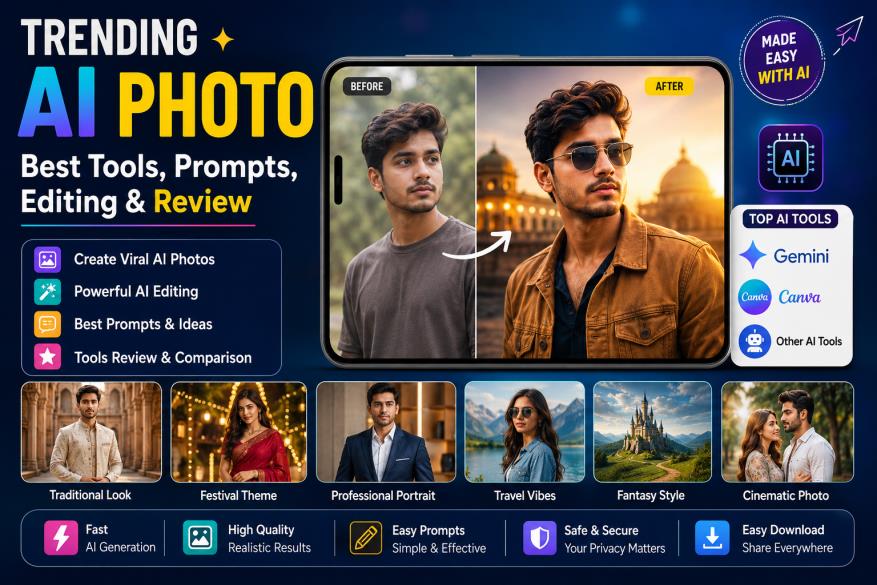
There are many styles that users can explore. Realistic cinematic portraits are popular because they can make an ordinary photograph look like a professional movie still. Traditional and cultural themes are also useful for Indian audiences. A person can experiment with sarees, sherwanis, kurtas, festival clothing, wedding settings, or traditional architecture.
Travel-style images are another popular category. AI can place a subject in a mountain location, beach environment, city street, historical location, or other imaginative setting. Professional portraits are useful for profile pictures and personal branding. Users can request studio lighting, clean backgrounds, formal clothing, and a polished appearance.
Fantasy and artistic styles are also growing. These can include futuristic cities, dreamy landscapes, fantasy characters, dramatic skies, and illustrated scenes. The best approach is not to chase every trend. Choose a style that matches the purpose of the image.
Best AI Tools for Creating Trending AI Photos
There is no single AI photo tool that is best for everyone. The right choice depends on whether you want image generation, photo editing, graphic design, or social media content.
Gemini is an important option because its image features support both generation and editing. Google’s current documentation describes Nano Banana 2 as a model for image creation and refinement, with support for multiple reference images and local edits. Paid users can also access Nano Banana Pro for certain regeneration workflows.
Canva is another useful choice for people who want AI generation together with design tools. Canva’s Magic Media can generate images from text and allows users to choose styles and sizes.
Other dedicated AI image platforms can also be useful for advanced creative work. When selecting a tool, look at image quality, editing control, prompt accuracy, available credits, privacy terms, and export options.
AI Photo Tool Comparison Table
| Tool | Main Strength | Best For | Ease of Use | Important Point |
|---|---|---|---|---|
| Gemini | AI generation and photo editing | Personal edits and creative images | Easy | Supports detailed image instructions |
| Canva | AI images plus design tools | Social posts and graphics | Very Easy | Useful for complete designs |
| Dedicated AI image platforms | Advanced image creation | Creative experiments | Medium | Features vary by service |
| Traditional editors | Manual control | Precise professional editing | Medium to Advanced | More hands-on work |
Tool features can change over time, so users should check the current plan and feature availability before choosing a paid service.
How to Create a Trending AI Photo
Creating a trending AI photo does not have to be difficult. Start with a clear and good-quality source image if you are editing an existing photograph.
Next, decide exactly what you want to change. Do not ask the AI to change everything at once unless that is necessary. A focused instruction can make the result easier to control.
A simple workflow is:
- Choose a clear photo or start with a new image idea.
- Describe the subject, style, background, clothing, lighting, and mood.
- Review the result and refine the prompt if something is incorrect.
For example, instead of saying “make my photo beautiful,” you can say that you want a realistic cinematic portrait, natural skin texture, soft evening lighting, an elegant outfit, and a detailed outdoor background.
Google also recommends starting image prompts with words such as “draw,” “generate,” or “create,” then describing the visual style and the subject, action, and setting.
Best Trending AI Photo Prompts
A prompt is the instruction that tells an AI tool what image you want. Good prompts are specific without becoming confusing.
Here are some ideas you can adapt:
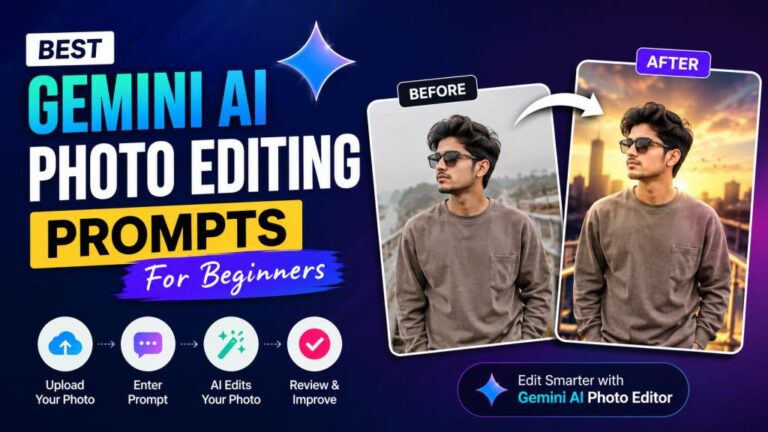
Cinematic portrait prompt: Create a realistic cinematic portrait of the person in the uploaded photo, keeping the facial identity natural. Use soft golden-hour lighting, a detailed outdoor background, realistic skin texture, shallow depth of field, and professional photography.
Traditional Indian prompt: Edit the uploaded portrait into an elegant traditional Indian photoshoot. Keep the person’s face natural and recognizable. Add refined traditional clothing, warm lighting, a beautiful cultural background, realistic fabric details, and a premium photography look.
Travel prompt: Transform the photo into a realistic travel portrait. Keep the person recognizable and natural. Place them in a beautiful mountain environment with soft morning light, realistic colors, natural shadows, and professional camera quality.
You can modify these prompts according to your own photo. The most useful prompts describe the subject, setting, appearance, lighting, mood, and desired realism.
Trending AI Photo Ideas for Indian Users
Indian users have many creative options when working with AI images. A traditional wedding portrait can be transformed into a polished editorial-style image. A simple festival photograph can be given a cinematic background and better lighting. Indian fashion is another strong area. Users can experiment with sarees, lehengas, sherwanis, kurtas, suits, and other clothing styles. The key is to make the clothing realistic and appropriate for the scene.
Festival-based images can also be interesting. Diwali, Eid, Holi, Durga Puja, weddings, birthdays, and cultural celebrations can provide strong visual themes. Travel concepts work well too. AI can create creative versions of portraits inspired by beaches, mountains, heritage buildings, city streets, and rural landscapes.
For better results, include local details in the prompt. Instead of saying only “traditional background,” describe the type of architecture, clothing, lighting, decoration, or environment you want.
How to Create Trending AI Photos With Gemini
Gemini is one of the most convenient options for users who want to experiment with AI photo generation and editing. Google’s current Gemini Apps documentation says users can upload an image and ask for edits, edit previously generated images, or use multiple images as references. To begin, open Gemini and choose the image-generation or image-editing option available to your account. Upload a suitable image if you want to edit an existing photograph. Then describe the changes you want.
You can ask Gemini to change the background, clothing, lighting, composition, or overall style. You can also ask it to make smaller local changes rather than rebuilding the entire image. One useful feature is the ability to refine an image through additional instructions. If the first result is close but not perfect, explain what needs to change.
For example, you can say that the background is good but the clothing should be changed while keeping the face and pose consistent. Gemini’s current image system also includes improved text rendering and character consistency, although results can still vary depending on the prompt and source image.
Feature availability can differ by country, account, age, device, and subscription. Google’s documentation also notes that image editing is not available to users under 18.
Trending AI Photos for Instagram and Social Media
Social media is one of the biggest reasons AI photos become popular. A visually strong image can attract attention quickly when people scroll through a feed. For Instagram, portrait-oriented images can work well because they occupy more screen space. Square images are still useful for some profiles and layouts. Landscape images are better for websites, YouTube thumbnails, and certain social posts.
The goal should not be to create an image only because it is viral. The image should also represent your personality or content. Creators can use AI photos for profile pictures, posts, thumbnails, promotional graphics, blog illustrations, and creative campaigns.
Canva is particularly useful for this workflow because its AI image-generation features can be combined with design elements, text, templates, and other graphics. Canva says Magic Media can generate images from descriptions and then place them into broader designs.
Learn More: Best Ways to Enhance Image Quality: Complete AI Tool Review
Benefits and Limitations of Trending AI Photos
AI photo editing has several advantages. It is fast, accessible, and flexible. Beginners can experiment with creative ideas without learning complicated editing software first. It can also help users create different versions of the same concept. A single portrait can become a professional headshot, travel image, traditional portrait, or cinematic scene.
However, there are limitations. AI may produce unrealistic hands, incorrect accessories, strange text, unusual facial details, or objects that do not match the original photograph. Identity preservation can also be imperfect. Even when a tool attempts to keep a person’s appearance consistent, small changes can happen.
Another concern is over-editing. If an image becomes too artificial, it may lose its natural appearance. Good editing is often about making controlled changes rather than changing everything.
Are Trending AI Photo Tools Free or Paid?
Some AI image services offer free access, while others use credits, subscriptions, or paid plans. The exact limits can change frequently. A free plan may be enough for casual experiments. Someone creating images regularly may need a paid plan for higher limits, better models, faster generation, or higher-resolution output.
For example, Google’s current Gemini documentation says images can be downloaded at 1K resolution without an AI plan and at 2K with a Google AI plan, while Nano Banana Pro is available to paid subscribers for certain workflows. The important thing is to compare the actual features rather than choosing a service only because it advertises itself as free.
Before paying, check the monthly image limit, resolution, commercial-use terms, watermark policy, export options, and cancellation rules.
Is It Safe to Upload Photos to AI Tools?
Privacy is an important issue when using AI photo editors. A personal photograph can contain a person’s face, family members, location, documents, or other private information.
Before uploading a sensitive image, read the platform’s privacy policy and terms. Understand how uploaded content may be processed and whether it may be stored. You should be especially careful with photographs of children, private family events, identity documents, or other sensitive material.
Google specifically reminds Gemini users not to violate other people’s privacy or copyright rights when generating or editing images. You should also avoid uploading another person’s photograph without permission when the edit could mislead people or affect that person’s privacy.
Responsible use is just as important as image quality. A technically impressive AI image is not worth a privacy problem.
Honest Review: Is Trending AI Photo Worth Trying?
After looking at the technology, tools, prompts, benefits, and limitations, the trending AI photo trend is certainly worth exploring. The biggest advantage is simplicity. A beginner can describe an idea in normal language and get a result without mastering complex editing software.
The second major advantage is creativity. AI allows users to experiment with backgrounds, clothing, lighting, environments, and visual styles that would otherwise require a professional photo shoot.
Gemini is especially interesting for people who want conversational editing. Its current image tools support generation and editing, including uploaded images and multiple reference images.
Canva is a strong choice for users who want to move from image generation to complete social media or graphic designs. Its Magic Media tools are integrated into a broader design workflow.
The main weakness is consistency. AI does not guarantee a perfect result every time. Users may need several attempts to get the right face, hands, clothing, lighting, or background.
Overall Rating Table
| Category | Rating | Review |
|---|---|---|
| Ease of use | 9/10 | Beginners can start with simple prompts |
| Creativity | 9.5/10 | Many styles and concepts are possible |
| Editing flexibility | 9/10 | Modern tools support detailed changes |
| Realism | 8.5/10 | Often excellent but not always perfect |
| Speed | 9/10 | Much faster than many manual workflows |
| Beginner value | 9/10 | Easy way to experiment with AI editing |
| Consistency | 8/10 | Results can vary between generations |
| Overall | 9/10 | Worth trying for creative photo editing |
Final Verdict
The trending AI photo trend is more than a temporary social media craze. AI image tools are changing how ordinary users create and edit pictures.
The technology is now capable of much more than applying a basic filter. Users can generate new scenes, modify existing photos, change backgrounds, improve visual styles, and create images from detailed text instructions.
For Indian users, the possibilities are especially broad. Traditional fashion, festivals, weddings, travel, cinematic portraits, professional photos, and social media content can all be explored with AI.
The best results come from clear prompts and realistic expectations. Do not expect every generation to be perfect. Review the image carefully and refine your instructions when necessary.
Privacy and responsible use should also remain priorities. Always consider whether you have permission to use a person’s photograph and whether the platform is appropriate for the type of image you want to upload.
Overall, trending AI photo tools are worth trying for beginners, creators, bloggers, and social media users. The technology is becoming easier to use, while current tools such as Gemini and Canva provide increasingly capable ways to turn simple ideas into attractive visuals.
Frequently Asked Questions
What is a trending AI photo?
A trending AI photo is an AI-generated or AI-edited image that follows a popular visual style or editing trend. It may feature cinematic portraits, traditional clothing, creative backgrounds, professional photography, or other viral concepts.
Which AI tool is best for trending photos?
There is no single best tool for everyone. Gemini is useful for conversational image generation and editing, while Canva is helpful for users who want AI images combined with broader graphic design features.
How can I create a trending AI photo?
Start with a good-quality photo or a clear idea. Then write a detailed prompt describing the subject, clothing, background, lighting, style, and mood. Generate the image and refine the prompt if the result needs improvement.
Can I create trending AI photos for free?
Some AI tools offer free access, but limits can apply. Free users may receive fewer generations, lower resolution, or fewer advanced features. Always check the current pricing and usage limits before choosing a service.
Which AI photo prompts are trending in India?
Popular ideas include cinematic portraits, traditional Indian fashion, wedding photography, festival themes, travel portraits, professional headshots, and creative social media images.
Can Gemini create trending AI photos?
Yes. Gemini’s current image features can generate images and edit uploaded or previously generated images. Google also documents support for multiple reference images and local edits in its current Gemini image tools.