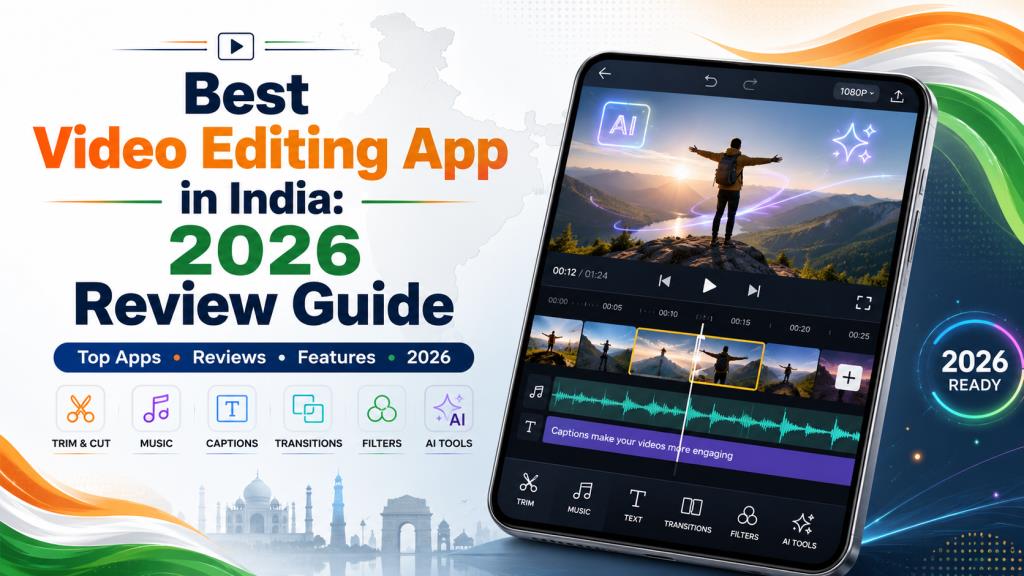
Best Video Editing App in India: 2026 Review Guide
What Is the Best Video Editing App?
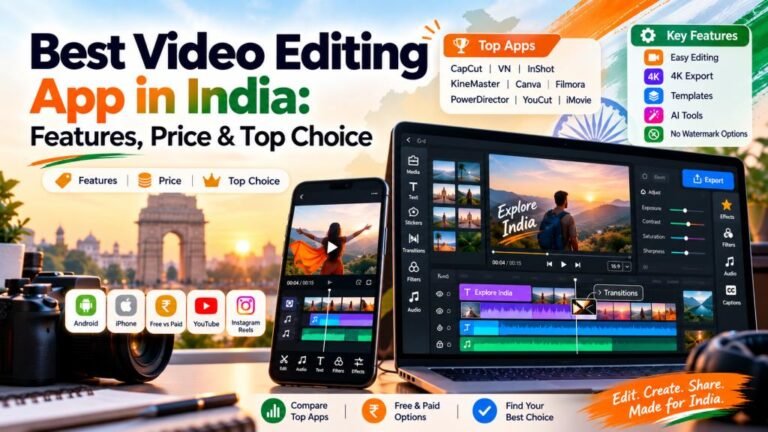
The best video editing app should make editing fast, simple, and enjoyable. It should offer useful tools without making the screen difficult to understand. A good app must let you trim clips, add music, insert text, apply transitions, and export videos in high quality. At editprotipsai.net, we believe VN is the best overall choice for most mobile users. It is suitable for beginners and experienced creators. It offers a multi-track timeline, keyframe control, speed adjustment, subtitles, templates, and many other useful tools. The official VN listing also states that it provides free video editing without a watermark.
However, one app cannot be perfect for everyone. InShot may be better for quick social media videos. KineMaster is useful for advanced mobile editing. YouCut is a strong choice for simple Android editing without a watermark. Adobe Premiere is attractive for iPhone users who want professional timeline control. Your ideal choice depends on your device, editing experience, content type, and budget. Therefore, the best video editing app for a YouTuber may not be the best option for someone who only creates WhatsApp status videos.
How We Selected the Best Video Editing Apps
We selected these apps by looking at their editing tools, ease of use, export quality, watermark policy, platform support, AI features, and overall value. We also considered how useful each app is for Indian creators. India has a large number of Android users. Therefore, Android support was an important factor. We also looked for apps that work well for YouTube videos, Instagram Reels, Shorts, educational content, product videos, and personal projects.
We gave more value to apps with a clear timeline, smooth performance, useful free features, and flexible export settings. Apps that offer auto captions, background removal, noise reduction, templates, and text-to-speech also received attention.
Watermark rules were carefully considered. For example, VN and YouCut officially promote watermark-free editing. KineMaster removes its watermark through a Premium subscription. Filmora also requires payment to remove its watermark from applicable free exports. We did not select an app only because it has many tools. An app must also be practical. The best video editing app should help users finish a project without unnecessary difficulty.
Best Video Editing Apps: Quick Comparison Table
The following table compares the main options. App features and subscription prices may change. Users should check the latest details inside Google Play or the Apple App Store before purchasing a plan.
| App | Best For | Platforms | Watermark Policy | Key Strength | Cost Type |
|---|---|---|---|---|---|
| VN Video Editor | Overall mobile editing | Android and iOS | No watermark on standard exports | Multi-track editing and keyframes | Free with optional purchases |
| InShot | Reels and quick social videos | Android and iOS | Free-version conditions may vary | Simple interface and social ratios | Free with paid upgrade |
| KineMaster | Advanced Android editing | Android and iOS | Premium removes watermark | Layers, audio tools and AI features | Free and subscription |
| PowerDirector | Advanced effects and AI editing | Android and iOS | Some tools require Premium | AI tools and powerful timeline | Free and subscription |
| Filmora | Templates and AI effects | Android and iOS | Paid option removes watermark | AI generation and creative effects | Free and paid plans |
| YouCut | Simple watermark-free editing | Android | No watermark | Fast trimming and basic editing | Free with in-app purchases |
| Canva | Marketing and template videos | Android, iOS and web | Free assets export without a watermark | Templates and brand design | Free and Pro plans |
| iMovie | Simple Apple editing | iPhone, iPad and Mac | No editor watermark | Clean Apple workflow and 4K editing | Free on supported Apple devices |
| Adobe Premiere | Professional iPhone editing | iPhone | Free watermark-free exports | Precise multi-track timeline | Free core app |
| Edits | Instagram content | Android and iOS | Watermark-free export supported | Instagram workflow and creator tools | Free |
| YouTube Create | YouTube videos and Shorts | Android | Designed for direct YouTube creation | Captions, templates and YouTube workflow | Free |
VN’s official pages describe it as a free editor with no watermark. YouCut also states that it does not add a watermark. Canva allows watermark-free video export when users choose free content, while Pro stock content can show a watermark for free users.
Apple states that iMovie can edit videos at resolutions up to 4K. Adobe describes Premiere on iPhone as a free editor with a precise multi-track timeline and watermark-free exports. At the time of writing, Adobe does not offer this Premiere mobile app for Android.
Best Video Editing Apps for Android
VN is our first recommendation for Android users. Its interface is simple enough for new creators. However, it also provides advanced controls. Users can work with multiple tracks, keyframes, speed curves, captions, filters, transitions, and templates. Its watermark-free export is a major advantage.
YouCut is another excellent Android option. It is lighter and easier than many professional editors. It is suitable for cutting, joining, cropping, changing speed, adding music, and creating slideshows. Its official Google Play description says it does not add a watermark to exported videos.
KineMaster is more suitable for complex projects. It supports different layers and advanced audio and visual editing. Its current tools include auto captions, text-to-speech, AI voice effects, noise removal, and background removal. A Premium plan removes the KineMaster watermark and advertisements.
PowerDirector and Filmora are also strong options. PowerDirector focuses on AI-assisted editing, effects, and automatic editing tools. Filmora provides image-to-video, text-to-video, transitions, stickers, filters, and other creative features.
For most Android users, VN is the best video editing app because it balances ease of use, strong tools, and watermark-free exports.
Read More: Photo Edit Karne Wala App: 10 Best Apps Reviewed 2026 India
Best Video Editing Apps for iPhone
iPhone users have several high-quality choices. Adobe Premiere is now one of the most interesting options. Adobe offers it as a free iPhone editing app. It provides a multi-track timeline and watermark-free exports. Users can edit, save projects locally, and export without needing an Adobe account for basic use.
Adobe Premiere is suitable for creators who want more control. It provides a workflow that feels closer to desktop editing. However, users who mainly want templates and instant effects may prefer InShot, VN, Filmora, or Edits.
iMovie remains a dependable option for Apple users. It has a clean interface and supports editing at resolutions up to 4K. A user can begin a project on an iPhone or iPad and continue it on a Mac.
VN is also available through the Indian Apple App Store. It provides multi-track editing, auto captions, text-to-speech, templates, and watermark-free export.
For professional control, Adobe Premiere may be the best video editing app for supported iPhones. For easy editing, iMovie and VN are better starting points.
Best Free Video Editing Apps
A free app should offer enough tools to complete a real project. It should not lock every useful feature behind a payment page.
VN is one of the strongest free options. It offers a timeline, keyframes, templates, transitions, text tools, speed controls, and watermark-free exports. It can handle Reels, Shorts, vlogs, tutorials, and educational content.
YouCut is a good free choice for Android users. It is especially useful when someone needs to cut clips, add music, change the video ratio, create slow motion, or export without a watermark.
YouTube Create is useful for YouTube creators. Google describes it as a free editing app for long videos and Shorts. It includes editing features and works directly with the YouTube creation process. The Android app currently requires Android 8.0 or later and at least 4 GB of RAM.
Canva is helpful for advertisements, product videos, presentations, and social posts. It includes video layouts, animations, audio tracks, effects, templates, and AI tools. Free users should avoid Pro assets marked with a crown when they want a clean export without an asset watermark.
The best video editing app in the free category is VN for general editing. YouCut is better for simple Android projects, while Canva is better for template-based business content.
Best Video Editing Apps Without Watermark
Watermarks can make a video look less professional. They can also distract viewers from the main content. This is why many creators search for a free editor that does not place an app logo on the final video.
VN is the leading choice in this category. Its official website and store pages clearly promote free video editing without a watermark. It also gives users more control than many basic watermark-free apps.
YouCut is another strong option. Its Google Play listing says that it will not add a watermark to the video. This makes it suitable for YouTube videos, Instagram content, school projects, and personal videos.
Adobe Premiere on iPhone provides free, watermark-free exports. Adobe also states that users can export unlimited videos in resolutions up to 4K through its free core experience.
Canva can export watermark-free videos when only free media and user-owned files are used. Pro stock clips can produce a watermark for free accounts. Therefore, users must check every selected asset before exporting.
Meta’s Edits app also supports exporting content without an added watermark. It is designed for creating and sharing mobile videos, particularly for Instagram and Facebook.
Among these choices, VN is the best video editing app without watermark for both beginners and advanced mobile users.
Best Video Editing Apps for YouTube
YouTube videos often require more than simple trimming. Creators may need voiceovers, subtitles, background music, layers, colour adjustments, sound effects, thumbnails, and different export resolutions.
YouTube Create is a natural choice for new YouTubers. It is the official editing app from YouTube. It can be used for Shorts and long-form videos. Google also offers templates inside the app, with options to customise the content.
VN is better for creators who want more timeline control. It can handle talking-head videos, tutorials, travel videos, product reviews, and educational lessons. Its multi-track system makes it easier to add B-roll, titles, sound effects, and background music.
KineMaster is suitable for channels that need layers and advanced audio editing. Its asset library and AI tools can speed up the editing process. However, users need Premium to remove the KineMaster watermark.
Canva is useful for making YouTube intros, simple videos, channel graphics, and thumbnails. It is not as precise as a professional timeline editor, but its templates save time.
VN is the best video editing app for most YouTube creators. YouTube Create is better for beginners who want a direct and simple workflow.
Best Video Editing Apps for Instagram Reels
Instagram Reels need fast pacing, vertical framing, readable captions, clear music, and attractive visual effects. The ideal app should support the 9:16 video ratio and make short-form editing easy.
Edits is one of the best choices for Instagram. Meta created it as a dedicated mobile video creation app. It provides a close connection with Instagram and includes creator-focused tools. Meta has continued adding editing features and AI tools since its original launch.
InShot is also excellent for Reels. It supports video cropping, social media ratios, music, transitions, text, stickers, slow motion, and other short-form tools. Its interface is easy to learn.
VN is better when a Reel requires detailed cuts, beat matching, keyframes, or several video layers. Canva is useful for branded Reels, offer videos, business announcements, and promotional content.
For direct Instagram publishing, Edits can be considered the best video editing app. InShot is better for speed, while VN gives creators more editing freedom.
Best Video Editing Apps for Beginners
Beginners should avoid starting with an app that has a confusing interface. A simple editor helps users understand trimming, splitting, transitions, audio, text, ratios, and export settings.
InShot is easy to understand. Most tools are clearly placed. A beginner can import a clip, cut unwanted parts, add music, insert text, and export the project with little training.
YouCut is another beginner-friendly option for Android. It focuses on the tools most casual users need. It does not make the timeline feel crowded.
iMovie is a good choice for Apple users. Its simple design helps users create clean videos without dealing with too many advanced controls.
VN has a slightly longer learning process. However, it is still beginner-friendly. It is a better long-term choice because users can learn advanced tools without moving to another app later.
For a complete beginner, InShot is one of the easiest choices. For someone who wants to improve over time, VN is the best video editing app.
Best Professional Video Editing Apps
Professional mobile editing requires precise control. The editor should support multiple tracks, advanced audio, keyframes, colour tools, background removal, custom text, high-resolution export, and flexible project management.
Adobe Premiere is a strong professional option for iPhone. It offers a precise multi-track timeline and free watermark-free export. It is a good choice for people who already understand timeline-based editing.
KineMaster provides a full non-linear editing experience on Android and iOS. It includes video, audio, graphics, layers, visual effects, and AI-assisted tools.
PowerDirector is another professional choice. It combines a timeline with AI tools, animation effects, auto editing, background tools, and social media features.
VN is suitable for semi-professional work. It offers strong controls without requiring a monthly payment for basic watermark-free editing.
The best video editing app for professionals depends on the platform. Adobe Premiere is a strong iPhone choice. KineMaster and PowerDirector are better options for advanced Android editing.
Best AI Video Editing Apps
AI tools can reduce editing time. They can generate captions, remove backgrounds, clean audio, suggest music, create video scenes, and turn text or images into videos.
KineMaster offers auto captions, text-to-speech, AI voice effects, music matching, background removal, and noise removal. These tools are useful for creators who produce content regularly.
Filmora includes image-to-video and text-to-video tools. It also provides filters, effects, stickers, transitions, and templates. These features are useful for short social videos and creative experiments.
PowerDirector uses AI for automatic editing and content creation. It can select important moments and turn clips into finished short videos with templates.
Canva combines video editing with design and AI features. It is useful for businesses, marketers, teachers, and creators who need videos and graphics in one workspace.
YouTube Create has also added AI-based creation features. Google states that some voiceover features support Bengali, English, Hindi, and Portuguese, although availability can vary by account or location.
Filmora is the best video editing app for users who enjoy AI effects and templates. KineMaster and PowerDirector are better for combining AI with detailed timeline editing.
Best CapCut Alternatives in India
Indian users searching for a CapCut alternative should choose an app available through an official app store. Installing modified APK files from unknown websites can create privacy, security, and performance risks.
VN is the closest all-round alternative. It includes keyframes, multi-track editing, speed tools, captions, templates, and watermark-free export.
InShot is a simple alternative for Reels, Shorts, and status videos. It is suitable for creators who value speed more than complex timeline control.
KineMaster is a better alternative for advanced projects. It provides layers, audio controls, effects, AI features, and a professional timeline.
Edits is a useful alternative for Instagram creators. Meta describes it as a free mobile editor that helps users create and share videos directly from their phones.
Canva is a practical alternative for businesses. It provides templates, stock content, collaboration tools, different video sizes, and watermark-free exports when free assets are used. Canva itself presents its video maker as a CapCut alternative.
For most Indian users, VN is the best video editing app to use as a CapCut alternative.
How to Choose the Best Video Editing App
Choosing an editor becomes easier when you understand your actual needs. Do not select an app only because it is popular. A popular app may still be unsuitable for your phone or content style.
- Check your device: Make sure the app supports your operating system, RAM, storage, and processor.
- Decide your content type: Choose different tools for YouTube videos, Reels, business advertisements, lessons, travel videos, or personal clips.
- Review the watermark policy: Confirm whether the free version adds a logo to the exported video.
- Check export quality: Look for Full HD or 4K export if your device can handle it.
- Consider editing tools: Basic users need trimming, music, text, and transitions. Advanced users may need layers, keyframes, masking, chroma key, and colour controls.
- Review AI features: Auto captions, background removal, text-to-speech, and noise reduction can save time.
- Check the price: Compare monthly and yearly costs. Also check whether a one-time purchase is available.
- Use official stores: Download apps from Google Play or the Apple App Store. Avoid unofficial modified versions.
- Test the free version: Edit a short project before purchasing a subscription.
- Check commercial rights: Review the licence of music, templates, fonts, and stock videos before using them in paid or monetised content.
The best video editing app is the one that matches your workflow. It should save time and help you create better videos without causing unnecessary stress.
Final Verdict on the Best Video Editing App
VN is our best overall recommendation for Android and iPhone users. It provides a strong balance of easy controls, advanced tools, and watermark-free exports. It can be used for Reels, Shorts, YouTube videos, tutorials, advertisements, and personal projects.
YouCut is the best simple watermark-free choice for Android. InShot is one of the easiest apps for beginners and social media creators. KineMaster and PowerDirector are better for advanced Android projects.
Adobe Premiere is an excellent option for supported iPhones. It provides precise multi-track editing and free watermark-free exports. iMovie remains a reliable choice for Apple users who prefer a simpler experience.
Edits is a strong option for Instagram Reels. YouTube Create is useful for users who mainly publish videos and Shorts on YouTube. Canva is ideal for marketing videos, business content, and template-based designs.
Filmora is a good choice for AI effects and creative templates. However, users should check its paid options when they need watermark removal and premium tools.
Overall, VN is the best video editing app for most users in India in 2026. It is powerful, flexible, and easy to learn. Still, the final decision should depend on your phone, budget, skill level, and the type of content you want to create.