
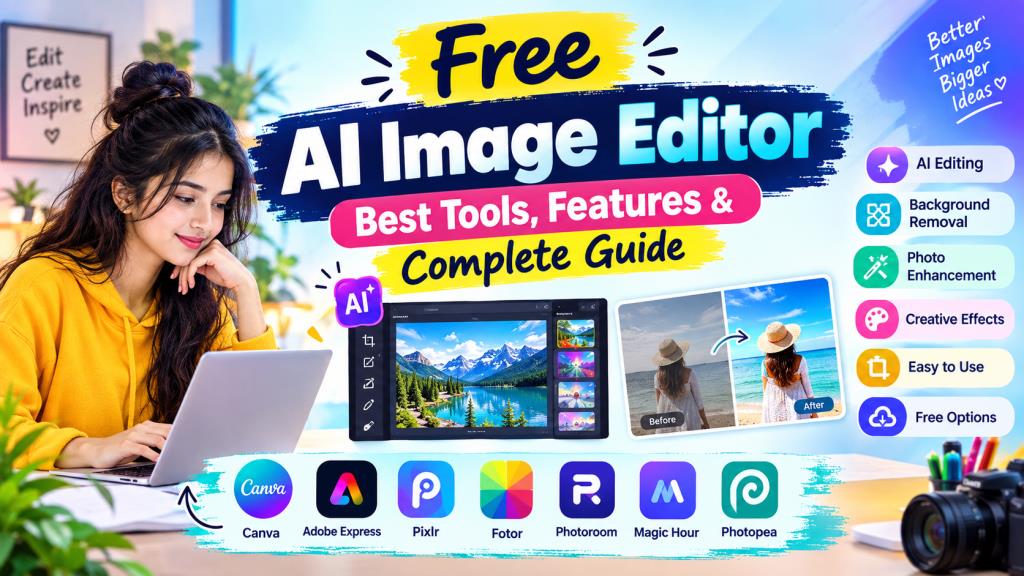
Free AI Image Editor: Best Tools, Features & Complete Guide
Introduction to Free AI Image Editor
Photo editing has become easier with the growth of artificial intelligence. You no longer need advanced editing skills to improve a photo, remove an object, or change a background. A free AI image editor can handle many of these tasks automatically. It can understand the main parts of an image and make changes within a few clicks.
AI image editing is useful for students, content creators, bloggers, business owners, photographers, and social media users. Many tools work directly in a web browser, so there is no need to install complicated software. This guide explains how AI image editors work, their main features, popular uses, benefits, limitations, and useful editing tips.
What Is a Free AI Image Editor?
A free AI image editor is an image editing tool that uses artificial intelligence to make photo editing faster and easier. Instead of manually selecting every part of an image, AI can automatically detect people, objects, backgrounds, colors, and other elements.
These editors can perform tasks such as background removal, object removal, image enhancement, cropping, resizing, and creative effects. Some tools also allow users to describe an edit with a simple text prompt.
The word “free” usually means that the tool offers some editing features without payment. However, advanced features, higher-quality downloads, or larger usage limits may require a paid plan.
How Does a Free AI Image Editor Work?
AI image editors use computer vision and machine learning technology to understand images. When you upload a photo, the system analyzes different parts of it. It may identify the subject, background, objects, edges, lighting, and colors.
For example, if you ask an AI editor to remove a person from a photo, it analyzes the surrounding area and generates replacement pixels that match the scene. Similarly, when removing a background, AI detects the main subject and separates it from the background.
This process saves time because many complicated editing tasks can be completed automatically instead of being done manually.
Why Should You Use a Free AI Image Editor?
The biggest reason to use a free AI image editor is convenience. Traditional photo editing can take considerable time, especially when you need to make detailed selections. AI can complete many basic tasks within seconds.
AI editors are also useful for beginners. You do not always need professional design knowledge to get good results. Simple controls, automatic tools, and text-based editing can make the process easier.
Another benefit is accessibility. Many online editors work on computers, tablets, and smartphones. This allows users to edit photos whenever they need them.
Key Features of a Free AI Image Editor
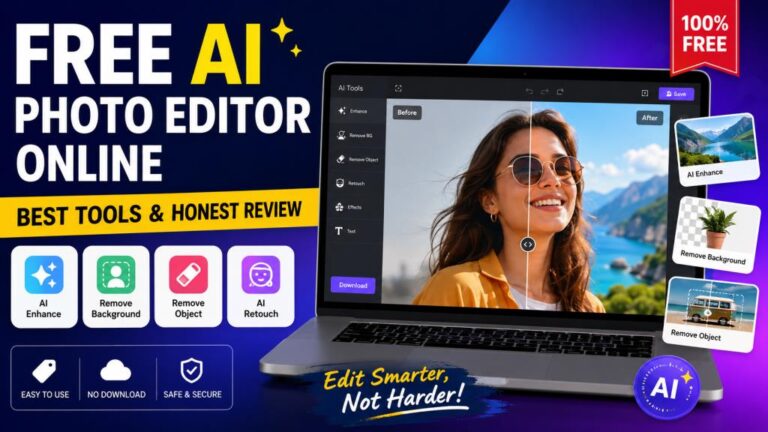
A modern AI image editor can offer several useful features. Background removal is one of the most popular because AI can automatically detect the subject and separate it from the background.
Object removal is another helpful feature. It allows users to remove unwanted people, signs, marks, or other distractions. Image enhancement can improve sharpness, brightness, and overall clarity.
Some editors also provide AI filters, image generation, automatic adjustments, resizing, cropping, and creative effects. The exact features depend on the individual tool and its free usage limits.
How to Edit a Photo With AI
Using an AI editor is usually simple. First, open the editing tool and upload the photo you want to change. Select an AI feature or describe the desired edit if the tool supports text prompts.
The AI will process the image and create an edited version. Review the result carefully before saving it. If the result does not look right, try another prompt or adjust the available settings.
For better results, use a clear image and give simple, specific instructions. Small changes are often easier for AI to handle accurately.
How to Remove a Background With AI
Removing a background manually can be difficult, especially around hair, clothes, or other detailed edges. AI makes this task much easier by automatically detecting the main subject.
Upload your image and choose the background removal option. The AI will normally separate the subject from the original background. You can then keep the background transparent or place the subject on another design.
This feature is useful for product photos, profile pictures, advertisements, thumbnails, and social media graphics.
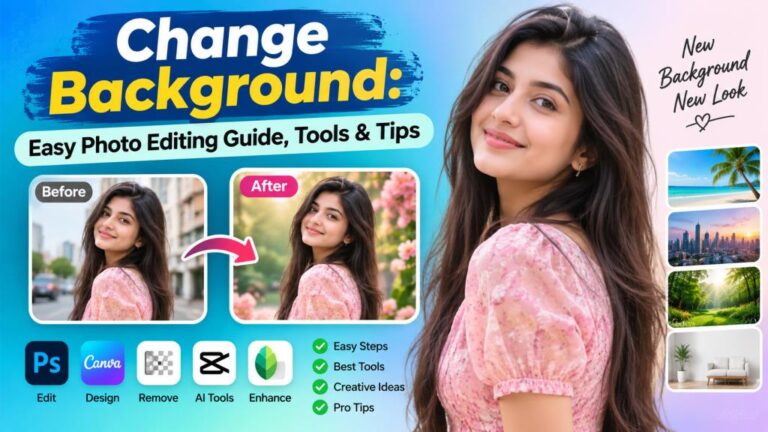
How to Change or Replace a Photo Background
After removing an original background, you can replace it with a new one. Some AI tools allow you to upload a background, while others can create a new background based on your description.
For example, you could request a simple studio background, a natural outdoor scene, or a clean professional setting. The editor attempts to match lighting, shadows, and perspective with the original subject.
Always check the final image for unnatural edges or lighting differences. A realistic background should look connected to the subject.
How to Remove Unwanted Objects From Photos
Unwanted objects can make an otherwise good photo look messy. AI object removal tools are designed to solve this problem without requiring complicated editing skills.
Usually, you select or brush over the unwanted object. The AI then studies the surrounding area and fills the selected space with generated content.
Results can vary depending on the image. Removing a small object from a simple background is usually easier than removing a large object from a crowded scene.
How to Improve and Enhance Image Quality
A free AI image editor can also help improve the quality of photos. Enhancement tools may make an image look sharper, clearer, and more balanced.
AI upscaling can be useful when a photo is too small for a particular purpose. Some editors can also reduce noise and improve details in certain images.
However, AI cannot always restore information that was never captured. Extremely blurry or heavily damaged photos may still have limitations after enhancement.
AI Filters, Effects, and Creative Editing Options
AI filters and effects can give ordinary photos a different visual style. Depending on the editor, you may find artistic effects, lighting adjustments, portrait improvements, and other creative options.
These features are especially popular for social media content. They can help users create eye-catching images without spending a long time adjusting every setting manually.
It is best to use effects carefully. Too many filters can make a photo look unnatural or reduce its professional appearance.
Best Free AI Image Editor Tools to Try
There are many free AI image editor tools available, but they are not all designed for the same purpose. Some are better for beginners, while others are useful for background removal, social media graphics, product photos, or more advanced editing.
Here is a quick comparison of some popular options:
| AI Image Editor | Best For | AI Features | Free Option | Beginner-Friendly |
|---|---|---|---|---|
| Canva | Social media & graphic design | AI editing, background tools, Magic Edit and design features | Yes, with feature limits | ⭐⭐⭐⭐⭐ |
| Adobe Express | Quick photo editing & marketing | Background removal, generative editing, enhancement | Yes, with limits | ⭐⭐⭐⭐⭐ |
| Pixlr | Advanced browser editing | AI background removal, object removal, generative tools | Yes, with limits | ⭐⭐⭐⭐ |
| Fotor | Photo enhancement | AI enhance, retouching, effects, background tools | Yes, with limits | ⭐⭐⭐⭐⭐ |
| Photoroom | Product photos | Background removal, background replacement, product editing | Yes, with limits | ⭐⭐⭐⭐⭐ |
| Magic Hour | Simple AI image editing | AI image editing and generative tools | Yes, with usage limits | ⭐⭐⭐⭐ |
| Photopea | Photoshop-style editing | Layers, masks and advanced browser editing |
Free AI Image Editor for Beginners
Beginners should choose an editor with a clean interface and simple controls. Too many advanced settings can make the editing process confusing.
A good beginner-friendly tool should allow you to upload an image, choose an AI feature, preview the result, and download the final image without unnecessary steps.
Start with simple tasks such as background removal, brightness correction, cropping, and object removal. As you become comfortable, you can explore more advanced AI features.
Free AI Image Editor for Social Media Content
Social media creators often need attractive images quickly. A free AI image editor can help create profile pictures, post images, thumbnails, advertisements, and other visual content.
AI tools can resize images for different platforms, improve image quality, remove distractions, and create new backgrounds. These features can reduce the time needed to prepare content.
For better social media results, keep your images clear and avoid excessive effects. A simple and professional design often performs better than an image filled with unnecessary elements.
Check Also: VN Code by EditProTips Review: Features, Uses & Guide
Benefits and Limitations of Free AI Image Editors
Free AI editors offer several advantages. They are easy to access, save editing time, and make advanced features available to beginners. Many tasks that once required professional software can now be completed online.
However, free versions often have limitations. Some may restrict the number of edits, image resolution, export options, or advanced features. Certain tools may also place watermarks on free downloads.
AI results are not perfect either. Fine details such as hair, fingers, shadows, reflections, and complex backgrounds can sometimes be edited incorrectly.
Tips for Getting Better Results With AI Photo Editing
Use a high-quality original image whenever possible. Clear photos give AI more information to work with. When using text prompts, describe exactly what you want instead of using a very general instruction.
Review the result carefully after every major edit. If something looks unnatural, try changing the prompt or using another editing method.
It is also helpful to make changes one step at a time. Removing the background, changing lighting, and adding effects all at once can sometimes produce inconsistent results.
Common Mistakes to Avoid When Using AI Image Editors
One common mistake is expecting perfect results from every AI edit. AI tools can make errors, so always check the final image before publishing it.
Another mistake is using low-quality source images. A poor original can limit the quality of the final result. Users should also avoid adding too many effects simply because they are available.
Finally, do not ignore privacy and usage rules. Before uploading personal or sensitive images, check how the service handles uploaded files and whether your intended use follows its terms.
Free AI Image Editor: Final Review
A free AI image editor is a useful option for anyone who wants faster and simpler photo editing. It can help with background removal, object removal, image enhancement, creative effects, and many other common tasks.
The biggest advantage is ease of use. Beginners can complete tasks that previously required advanced editing skills. At the same time, free plans may have limits, so users should compare features before choosing a particular tool.
Overall, AI image editing is a practical choice for everyday photos, social media content, blogs, product images, and creative projects. With the right tool and clear instructions, you can achieve useful results without spending a lot of time learning complicated software.
Frequently Asked Questions About Free AI Image Editors
What is the best free AI image editor?
The best option depends on your needs. Some tools are better for background removal, while others focus on design, enhancement, or creative editing. Compare the free features, image quality, and usage limits before choosing one.
Can I edit photos online for free with AI?
Yes. Many AI image editors offer browser-based editing with free features. You can upload an image, apply an AI tool, review the result, and download it if the service allows free exporting.
Can AI remove backgrounds automatically?
Yes. Many AI editors can automatically detect the main subject and remove the background. Results are usually better when the subject is clear and separated from the background.
Can a free AI image editor improve photo quality?
Yes, some free AI editors provide enhancement or upscaling features. They can improve sharpness and clarity in suitable images, although results depend on the original photo.
Are free AI image editors safe to use?
Safety depends on the service. Before uploading private photos, check its privacy policy, data practices, and terms of service. Avoid uploading sensitive images to tools you do not trust.
Can I use AI-edited images for social media?
Generally, yes, but you should check the specific tool’s licensing terms. Some platforms may have different rules for commercial use, generated content, or free exports.
Do free AI image editors add watermarks?
Some free services may add watermarks, while others may offer watermark-free exports with certain limits. Always check the download options before starting an important project.
2 Comments